Self-hosting OpenClaw is a real option. You get a lower-cost server, full control over updates, and nobody else managing your infrastructure. You also get full responsibility for keeping it running.
This guide covers what the server needs, how to install OpenClaw and run it as a background service, and what maintenance actually involves once it is running.
OpenClaw server requirements
The official OpenClaw VPS docs stay intentionally general: run the gateway on a Linux server or VPS, keep it on loopback by default, and treat that machine as the source of truth for state and workspace backups.
The hard runtime requirement that is explicitly documented is the Node version:
- Runtime: Node 24 is recommended; Node 22.14+ is still supported
- OS: A Linux server or VPS you can SSH into
- Network: Outbound access to your model provider and channel APIs; for remote dashboard access, keep the gateway on loopback and use an SSH tunnel or Tailscale
- Storage: Enough room for
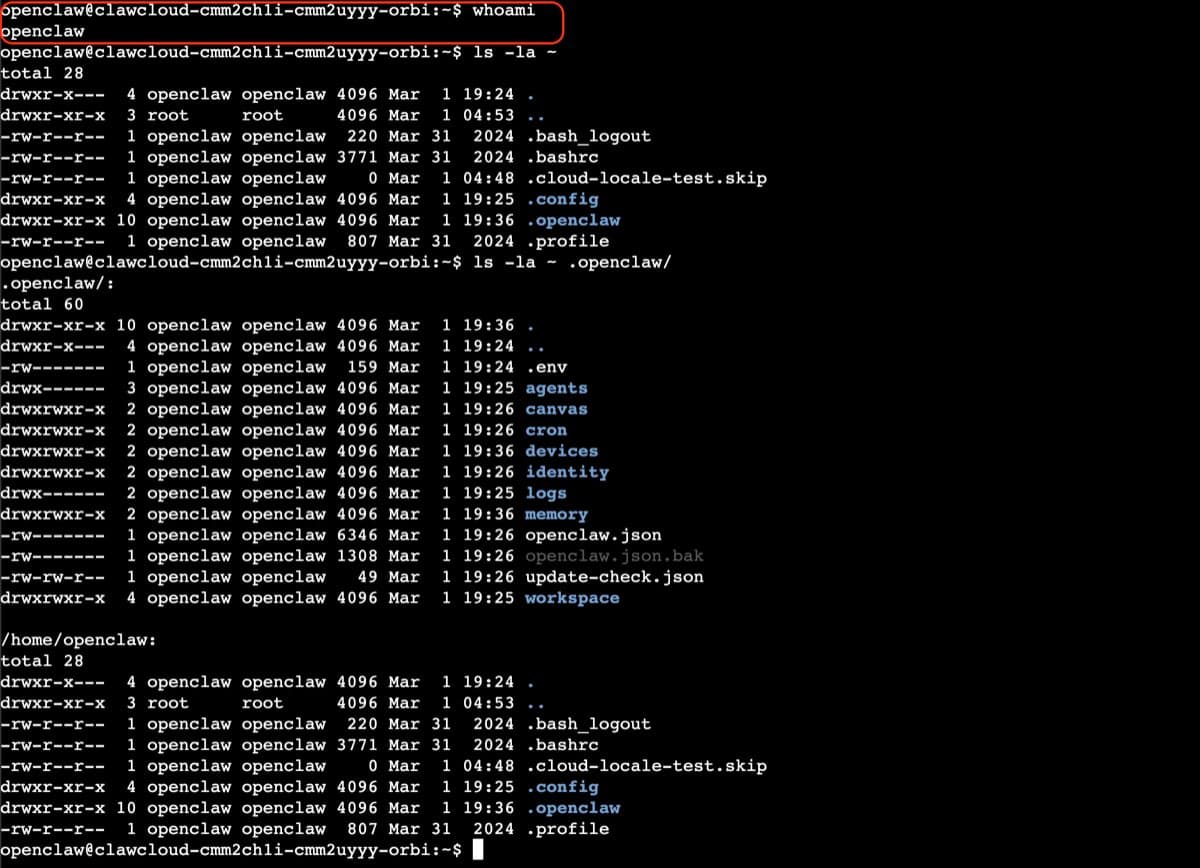
~/.openclaw/, which holds config, workspace data, and other runtime state
OpenClaw does not publish one universal RAM, CPU, or disk minimum for every channel mix. Start with a small VPS, then size it based on the RAM, CPU, and disk usage you see after onboarding.
Step 1: Install OpenClaw
The recommended path is the official installer script. It detects your OS, installs Node if needed, installs OpenClaw, and launches onboarding:
curl -fsSL https://openclaw.ai/install.sh | bash
If you already manage Node yourself, use Node 24 or Node 22.14+ and install the CLI manually:
npm install -g openclaw@latest
If the binary is not in your PATH, find the global prefix and add the bin directory:
export PATH="$(npm prefix -g)/bin:$PATH"
Verify the install:
openclaw --version
openclaw doctor
openclaw gateway status
Step 2: Run onboarding
If you used the installer script, onboarding starts automatically. To run it again, or to finish a manual install:
openclaw onboard --install-daemon
On Linux, --install-daemon installs the systemd user service for the gateway.
If you are scripting the setup, start from the official non-interactive baseline and swap the auth flags for your provider as needed:
openclaw onboard \
  --non-interactive \
  --mode local \
  --auth-choice apiKey \
  --anthropic-api-key "$ANTHROPIC_API_KEY" \
  --secret-input-mode plaintext \
  --gateway-port 18789 \
  --gateway-bind loopback \
  --install-daemon \
  --daemon-runtime node \
  --skip-skills \
  --accept-risk
--accept-risk is required for non-interactive mode. The official automation example above uses Anthropic for the auth step; if you use a different provider, swap in the provider-specific flags from the OpenClaw CLI automation docs.
Step 3: Open the dashboard safely
The dashboard lives at http://127.0.0.1:18789/ by default. On a VPS, the secure default is to keep that bind on loopback and tunnel it from your laptop:
ssh -N -L 18789:127.0.0.1:18789 <user>@<your-server-ip>
Then open http://127.0.0.1:18789/ locally. You can also run openclaw dashboard on the server to print the link again.
Step 4: Connect a channel
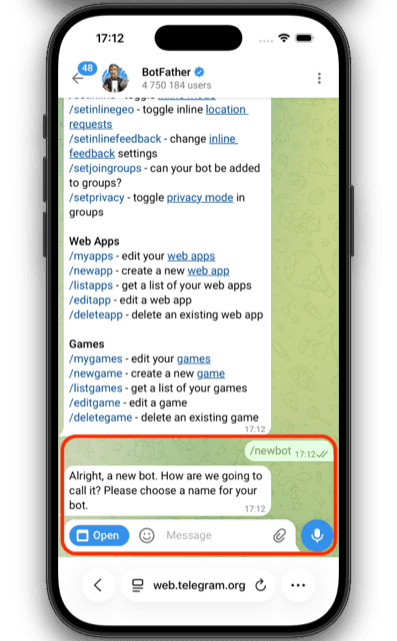
For Telegram, create a bot token with BotFather. The current config key is channels.telegram.botToken:
openclaw config set channels.telegram.botToken YOUR_BOT_TOKEN
openclaw config set channels.telegram.enabled true --strict-json
If the gateway is not already running, start it:
openclaw gateway
Then DM the bot to get a pairing code and approve it:
openclaw pairing list telegram
openclaw pairing approve telegram <CODE>
See the full Telegram setup guide for group settings, allowlists, and DM configuration.
For Discord, the current token field is channels.discord.token. Follow the Discord bot guide for intents, server IDs, and pairing.
Upkeep: what running it actually involves
Gateway service — --install-daemon installs a Linux user service. Run systemctl --user as the same Linux user that installed OpenClaw, not as root. For the default profile:
systemctl --user is-enabled openclaw-gateway.service
systemctl --user status openclaw-gateway.service
If it shows disabled, enable and start it:
systemctl --user enable --now openclaw-gateway.service
If you installed a named profile, the unit name becomes openclaw-gateway-<profile>.service.
OpenClaw updates — the recommended path is:
openclaw update
If you use the manual npm install path instead:
npm i -g openclaw@latest
openclaw doctor
openclaw gateway restart
Disk usage and backups — treat the VPS as the source of truth. The main paths are ~/.openclaw/openclaw.json and ~/.openclaw/workspace/. Monitor disk growth and back up the state regularly:
du -sh ~/.openclaw/
Secret rotation — if you rotate provider or bot tokens, update the referenced value in config or env and run openclaw doctor if auth stops working.
Most maintenance is low-effort when things are working. When things break — the daemon stops auto-starting after a kernel update, storage fills faster than expected, a provider API change breaks auth — you handle it yourself. That is the main cost of self-hosting relative to managed hosting.
If your VPS reboots and the bot does not come back, run openclaw doctor first. If it reports that the gateway is down, inspect systemctl --user status openclaw-gateway.service under the Linux user that installed OpenClaw.
Best VPS for OpenClaw: what to look for
You do not need a specific cloud provider. What matters:
- SSH access to a Linux server — the documented VPS flow assumes a normal Linux host you can administer
- A supported Node path — installer script, system package, or version manager that keeps you on Node 24 or Node 22.14+
- A secure access path — keep the gateway on loopback and use SSH tunneling or Tailscale instead of exposing the dashboard publicly
- Enough storage for state and backups —
~/.openclaw/is the directory you need to preserve - SSD-backed storage — OpenClaw's Linux server notes specifically call out SSD-backed disks for better cache and startup behavior on small VMs
Pick server size based on your actual channel volume and retention needs. The upstream docs do not define one official 1 GB or 2 GB baseline that fits every deployment.
Cost comparison: self-hosted vs managed
OpenClaw's docs do not publish a universal "correct VPS price" because provider pricing changes by region and server size. The clean comparison is responsibility, not a frozen dollar estimate:
| Setup | Infrastructure cost | Maintenance | Monthly total |
|---|---|---|---|
| Self-hosted VPS | Varies by provider, region, and server size | You handle install, updates, backups, and incident response | VPS bill + your time |
| ClawCloud Lite (managed) | $29 | ~0 hrs | $29 |
If Linux server administration is already part of your workflow, self-hosting can still be the cheaper cash option. If you want OpenClaw running without maintaining Node, systemd, dashboard access, or channel tokens on your own box, managed hosting is the simpler path.
Related guides
- OpenClaw Linux server setup — extended config reference for Linux installs
- OpenClaw gateway guide — gateway control, port configuration, and health checks
- Getting started with OpenClaw on ClawCloud — managed deployment path