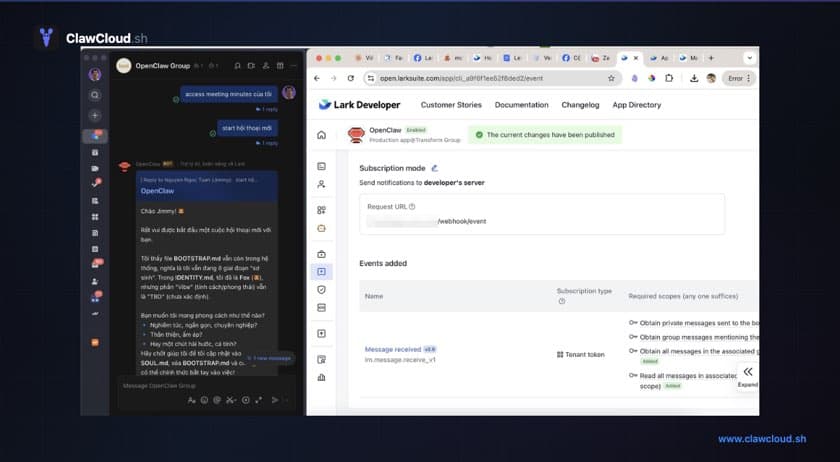
OpenClaw Feishu Bot (Support Terms)
If you searched for ai feishu bot, openclaw feishu bot setup, openclaw channels add feishu, or openclaw add feishu channel, this page is the channel-specific overview before deployment.
What an AI Feishu bot needs to do
Teams running on Feishu or Lark often want an AI assistant integrated directly into their workspace. The use cases are predictable: a private assistant for individual queries, a group helper for team discussions, or an always-on bot that handles questions without switching to a separate app.
Most DIY approaches involve building a Feishu app from scratch, handling event subscriptions, managing webhook URLs, and writing message routing logic. That adds up to days of work before the bot sends its first response.
OpenClaw handles the Feishu integration natively. It manages the connection, session tracking, and multi-model routing — and runs on a dedicated server independent of your local machine.
How deployment works on ClawCloud
- Create your Feishu app in the Feishu Open Platform.
- Copy App ID and App Secret.
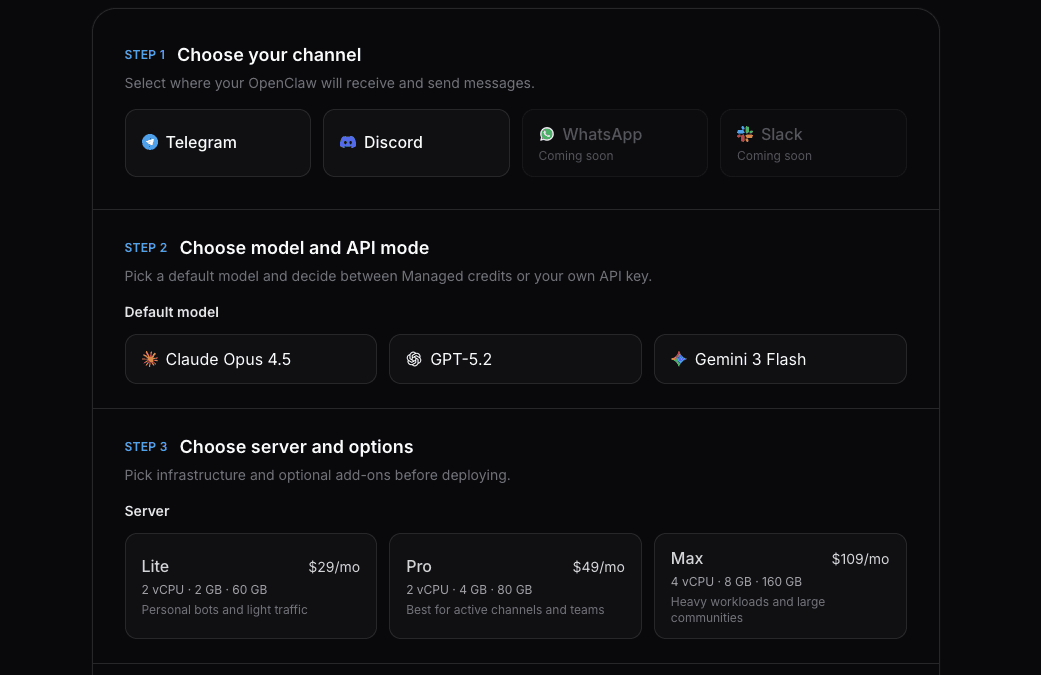
- Paste credentials into the ClawCloud deploy wizard with Feishu preselected.
- Deploy and test DM/group response.
If you run OpenClaw in a self-managed environment, install the Feishu plugin first, then use openclaw channels add.
The bot handles:
- Private DMs — one-on-one conversations with your AI assistant
- Group chats — the bot responds when mentioned or to all messages, depending on config
- Streaming replies — responses stream in real time via Feishu's interactive card system
- Conversation context — session history is tracked so follow-up questions work naturally
The Feishu API is free for custom apps within your workspace. AI costs come from whichever model you configure, not from Feishu.
DM and group chat policies
By default, OpenClaw requires pairing before anyone can message the bot in DMs. ClawCloud deployments configure open access automatically — anyone in the workspace can start a conversation.
For group chats, groupPolicy controls whether the bot responds to all messages or only when mentioned with @. The group chat settings guide covers the options.
If you need to adjust DM access later, use How to Change the OpenClaw DM Policy.
Models available on Feishu
All curated models in the OpenClaw catalog work on Feishu. Switch models from inside the chat with /model. Common aliases work: /model sonnet for Claude Sonnet 4, /model gemini-flash for Gemini Flash, /model gpt-mini for GPT-4.1-mini.
The model switching guide covers all commands.
Streaming replies with interactive cards
Feishu supports streaming responses through interactive cards. As the AI model generates its response, the card updates in real time — so users don't stare at a blank chat waiting for the full answer. This works for both DMs and group chats.
Setup time
Creating a Feishu app on the Open Platform takes about 5 minutes. The credential setup guide is here: How to Create a Feishu Bot for OpenClaw.
After that, the ClawCloud deploy wizard takes your App ID and App Secret, and your server is live in under a minute.
Feishu vs Lark
Feishu is ByteDance's collaboration platform for the China market. Lark is the international version, running on open.larksuite.com. OpenClaw supports both. If you use Lark, set domain: "lark" in OpenClaw's config — the rest of the setup is identical.
Which plan to use
Feishu is available on all ClawCloud plans. Lite starts at $29/month and includes a dedicated server, auto-updates, and SSH access. Both BYOK and managed AI modes are supported.
See the Feishu bot hosting overview for the full feature breakdown.
Start directly with Feishu preselected: Deploy OpenClaw on Feishu.
What to read next
- Deploy an OpenClaw Feishu Bot (use case)
- OpenClaw Feishu Bot Setup Guide
- Getting Started with OpenClaw on ClawCloud
- OpenClaw Feishu Bot Hosting
For channel-level Feishu behavior and configuration, see the official OpenClaw Feishu documentation.