ClawCloud provisions OpenClaw on two platforms: Linux and Windows. The OpenClaw gateway and bot work the same way on both. The difference is how you access the server and what you see when you get there. This guide lays out the tradeoffs so you can pick without guessing.
If you are new to OpenClaw, skim the official OpenClaw docs first. If you already know you want a managed cloud server, this comparison covers everything you need to choose a platform.
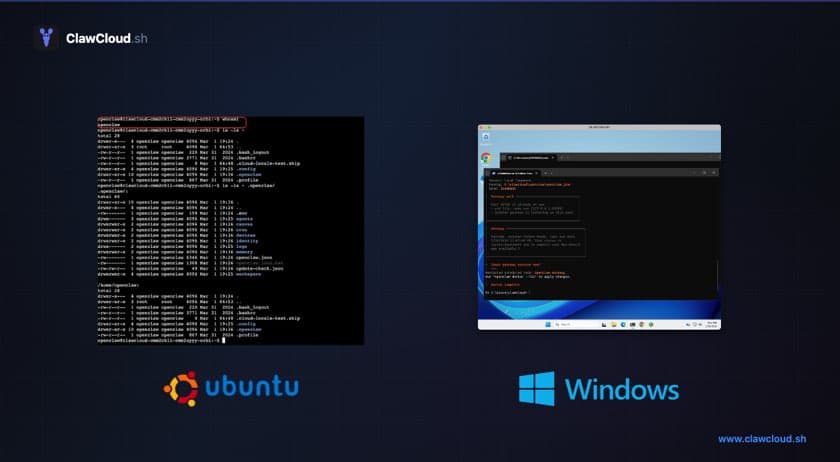
Quick comparison
| Feature | Linux | Windows |
|---|---|---|
| Access | SSH (terminal) | RDP (full desktop) |
| GUI | No — CLI only | Yes — Windows Server desktop |
| Browser | Headless — no visible UI (server has no display) | Chrome pre-installed, visible and interactive via RDP |
| Admin access | openclaw user with sudo via SSH | Full admin session via RDP |
| Best for | CLI users, developers, cost-conscious | GUI users, visual config, RDP-first workflow |
Windows plans cost more than Linux plans on each tier. Linux is cheaper if price is a deciding factor. See the ClawCloud pricing page for current plan prices and yearly billing options.
Who should pick Linux
Linux suits you if:
- SSH and a terminal are already part of your workflow
- You want the lower starting price — Linux plans cost less than equivalent Windows tiers (see pricing)
- Day-to-day bot management happens through the ClawCloud dashboard or the OpenClaw CLI commands guide
- Provisioning speed matters — Linux servers come up faster
- Headless browser access is enough — OpenClaw's browser tool works on Linux; the server has no display, so it runs without a visible UI
- You need sudo access — the
openclawuser has passwordless sudo on every Linux server
All channels available in the ClawCloud deploy flow work on Linux: Telegram, Discord, and Feishu. OpenClaw itself supports many more channels that you can configure directly.
See the OpenClaw Linux server setup guide for a full walkthrough of SSH access, gateway checks, and common CLI commands.
Who should pick Windows
Windows suits you if:
- You want a desktop session instead of a terminal
- A visible, interactive browser is part of your workflow — Chrome is pre-installed and OpenClaw's browser tool runs with a full visible UI you can see via RDP
- You want to log in to sites manually in the agent browser before automating them (see Browser Login)
- You prefer RDP over SSH for all server access
Anyone with macOS, Windows, or Linux can connect to the Windows server via RDP using Microsoft Windows App — no extra client setup needed on Mac.
See the OpenClaw Windows cloud server setup guide for the full deploy-to-desktop walkthrough, and the RDP connection guide if you want step-by-step instructions for your specific operating system.
How to switch later
The platform is fixed for each instance. You cannot convert a Linux server to Windows or the other way around after deploying.
To switch platforms, deploy a new instance through the wizard, choose the other platform, reconnect your channel, then destroy the old instance from the dashboard. Your channel credentials and model choice carry over when you re-enter them during the new deploy.
Deploy
Ready to pick? Both platforms are in the deploy wizard:
For current plan prices across both platforms, see the ClawCloud pricing page. If you want to walk through the full deploy flow first, the Getting Started with OpenClaw on ClawCloud guide covers it step by step.