The terminal is where a lot of OpenClaw deployments end before they start.
Managed hosting on ClawCloud was supposed to fix the self-hosting friction. And for developers comfortable with SSH, it does. But for everyone else, even a managed Linux server has a hard boundary: to check that the bot is running, to read logs, to restart the gateway after a config change, you need a terminal session. That's the wall we kept hitting in user feedback.
So we built Windows cloud servers.
What we saw in the feedback
Users who completed the Linux setup were, in general, happy. The bot ran, the dashboard reflected what was happening, and the SSH workflow made sense to them.
The users who dropped off told a different story. Not "this is broken" but "I don't know what to do next" or "I got an error and couldn't figure out what it meant." A few described it as: SSH is fine if you already know it, but learning it alongside OpenClaw setup is too much at once.
The self-hosting pain point post resonated with a lot of people for this reason. The managed hosting offer was supposed to remove the Node.js installs, config file debugging, and daemon management. It does. But it left the terminal requirement in place, and for some users, that was the hard part.
What changes with a Windows cloud server
After provisioning a Windows server, you connect using Microsoft Windows App — available for Mac, Windows, iOS, and Android — and land on a full desktop. OpenClaw is already running. Your bot is already live on the channel you picked during checkout.
There's nothing to set up. The first thing you do is verify it's working by messaging your bot. That verification is visual: you see the desktop, open a browser, test the bot on your phone. No commands.
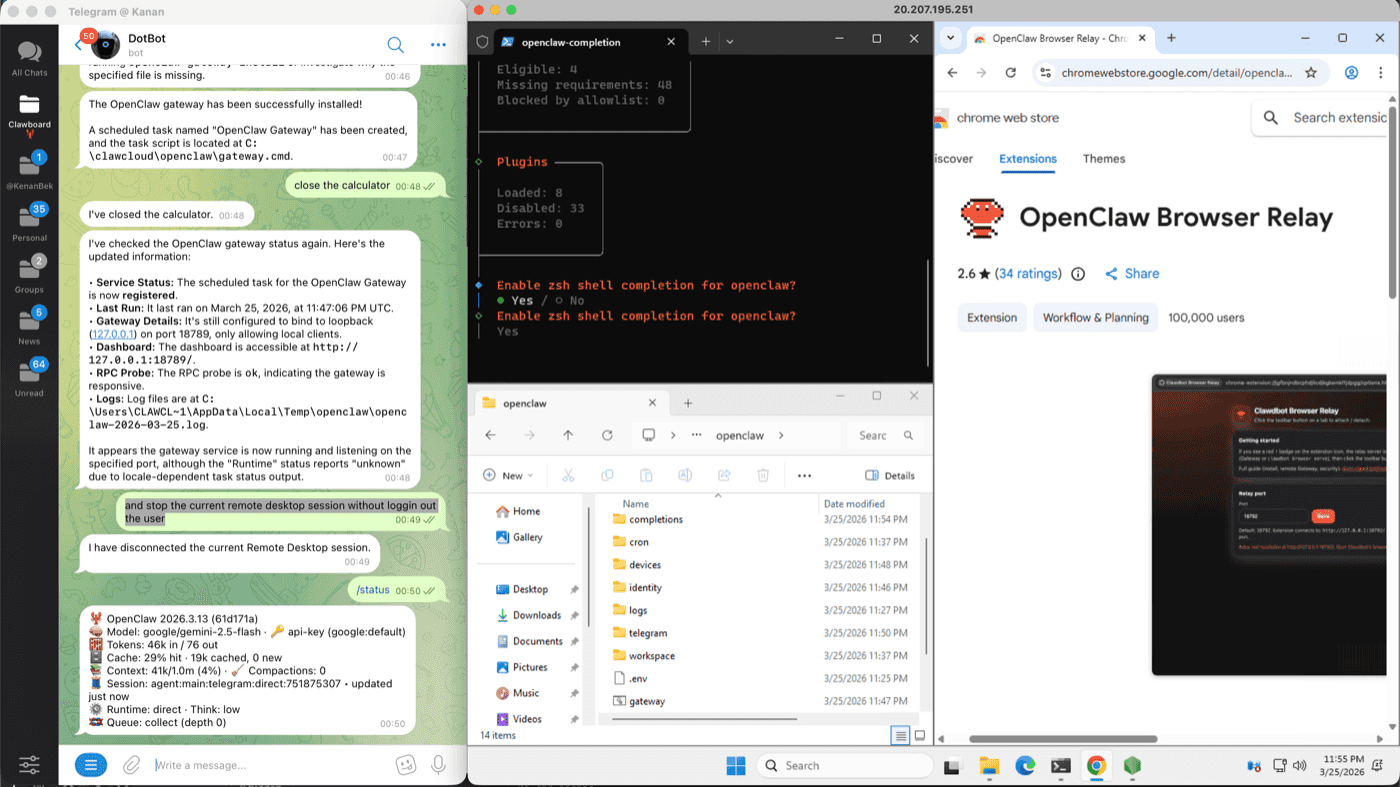
Who this resonates with: people who run Telegram groups or Discord servers, small business owners who want an AI assistant for their team, users who spend their day in Windows and want to stay there. Not developers. Developers can use Linux and save money doing it.
Why not just any Windows VPS?
You could rent a Windows VPS from any provider and install OpenClaw yourself. Some people do. That path is covered in the managed vs self-hosting comparison.
The difference on ClawCloud is what's already done before you connect. OpenClaw is installed. The gateway is configured with the channel and AI model you picked at checkout. Chrome is pre-installed. The ClawCloud agent managing the server's health and your dashboard status is running. You connect to a machine where the work is finished, not to a blank server where it hasn't started.
That's the product: a running OpenClaw instance you can manage from a desktop, not infrastructure you provision from scratch.
The pricing difference is real
Windows servers cost more than Linux. Running a full desktop environment alongside the OpenClaw gateway requires more cloud resources, and that cost gets passed through. See current pricing for the exact figures.
We considered whether this was justifiable. Our conclusion: yes, for the audience it's for. If you're comfortable in a terminal, Linux is the right choice at a lower price. If you're not, paying more for a server you can actually use — and maintain without anxiety — is a reasonable trade.
One thing we didn't want to do was offer a stripped-down Windows version. Windows servers on ClawCloud have the same plan sizes, the same AI model options, and the same channel support as Linux. They're a different deployment surface for the same OpenClaw runtime.
The OpenClaw Linux vs Windows comparison has a full breakdown if you're weighing the two options before deploying.
The technical piece we don't usually talk about
Getting OpenClaw running reliably in a Windows Server environment was more involved than the Linux path.
The challenge isn't the OpenClaw gateway itself — that part is straightforward. The challenge is making the full boot sequence work correctly: configuring auto-login, starting the gateway in the right user context, making the server ready before you connect, and correctly detecting that state so the ClawCloud dashboard doesn't show a false status.
We ended up with a two-phase boot process. The first phase configures everything and triggers a reboot. The second phase starts after auto-login completes and the user session is ready. The dashboard only shows "Ready" when both phases have confirmed success.
It's more moving parts than Linux. But it means the experience on the other end is clean.
For the full walkthrough of what you get after provisioning and how to connect from any OS, see the OpenClaw Windows cloud server guide. OpenClaw's official documentation covers the full list of supported channels and AI models if you want to go deeper than the deploy wizard defaults.