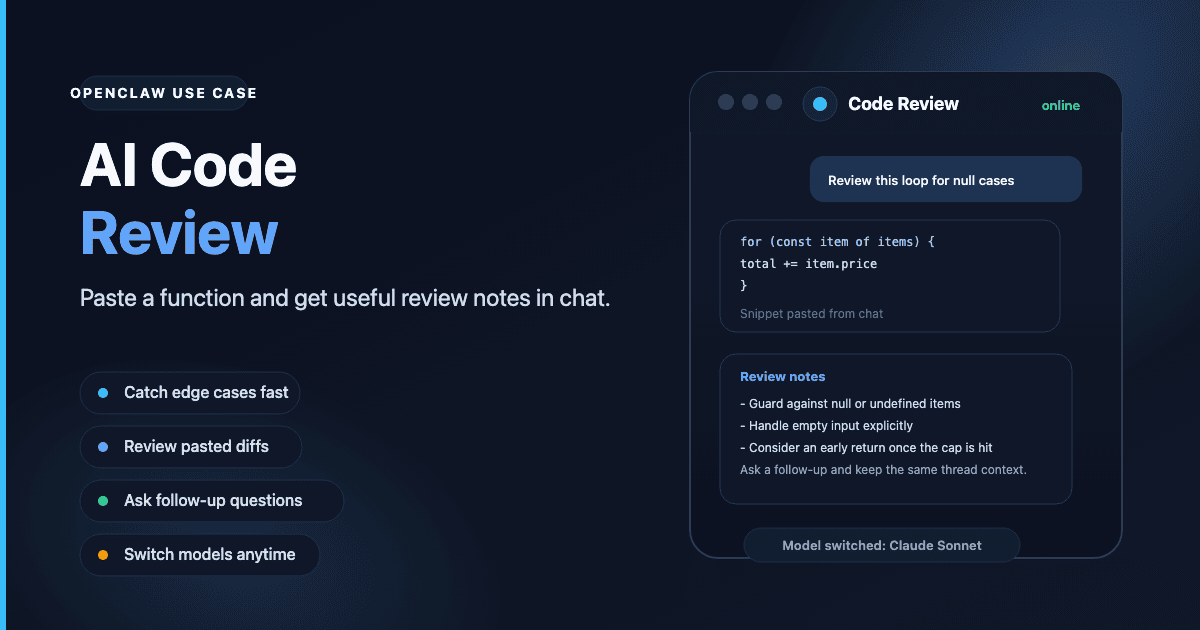
Code review with AI as a daily tool
Most developers do not need a formal pipeline to get value from AI feedback. You write a function, you want a second look — not a PR review, just a quick check. Is the logic correct? Is there an obvious edge case? Would you change the structure?
That is a conversation. OpenClaw handles it well because it lives where you already are.
The bot runs inside Telegram or Discord. Paste a code snippet, describe what it should do, and ask for a review. The bot responds in the same thread. You ask follow-up questions in the same thread, and it holds the context across the whole conversation.
No IDE extension to install, no browser tab to open, no account to sign into mid-session.
What an AI code review looks like in practice
A typical exchange:
- Paste a function and say "review this — looking for edge cases and any obvious issues with the loop logic."
- The bot walks through the code, flags the unhandled null case in the loop, and notes the return condition could exit earlier.
- You ask "what happens if the input array is empty?" and get a specific answer.
- You paste a revised version and ask whether the change addressed the issue.
That loop — paste, review, ask, revise — fits into a normal workday. The bot is available through the day without you switching contexts.
For pull request work, the same pattern applies. Paste a diff, describe the change, ask for feedback. Telegram and Discord both support large message inputs, enough for function-level or file-level reviews.
Skills that sharpen code review
OpenClaw skills are installable add-ons that expand what the bot can do.
The web-search skill (available via ClawHub) lets the bot look up current documentation during a review. When a review touches an API or library, the bot can search and reference current docs rather than relying on its training data.
The workspace skill lets the bot read files from a linked project directory. Instead of pasting code manually, you can ask "review the auth module" and the bot reads the source file directly.
See the skills guide for installation steps and a list of available options.
Which model to use for code review
Model choice matters more for code than for most conversation tasks.
Claude Sonnet is a reliable baseline. It handles multi-file context and gives structured feedback without padding the response with filler. It is the starting point for code work.
GPT-4.1 is a strong alternative for JavaScript, TypeScript, and Python. Its context window handles longer diffs without truncating earlier context.
Budget models — Claude Haiku, GPT-4.1 Mini — work well for quick checks on short snippets. For a 200-line file or a diff across multiple files, move up to a larger model. The quality difference on dense code is noticeable.
Switch between models at any time with the /model command. See the model guide for aliases and options.
Why always-on access matters for developers
The practical value of a chat-based code review tool is availability away from your IDE. On your phone when reviewing a pull request at lunch. On a second device while your primary machine runs tests. During a call when you want to check a function you wrote earlier that day.
Because OpenClaw runs on a dedicated server 24/7, the bot responds the same way at 7am or 11pm. There is no session to maintain across devices, no IDE to open, and no additional login required — just your bot in the channel you already use.
Getting started
Any ClawCloud plan supports code review via Telegram or Discord:
| Plan | Price | Best for |
|---|---|---|
| Lite | $29/mo | Solo developer, daily code checks |
| Pro | $49/mo | Heavier model usage, longer sessions |
| Max | $109/mo | Large codebase context, long conversation threads |
See how to set up an OpenClaw Telegram bot or Discord bot to get your bot token and finish the setup.