What is an OpenClaw skill?
A skill is a folder containing a SKILL.md file that tells the bot how to use a specific tool. When a conversation matches the skill's trigger conditions, OpenClaw loads the skill's instructions into the model's system prompt. The bot then knows how to perform that task for the duration of the conversation.
This is different from a plugin. Plugins are a separate system in OpenClaw that can ship their own skills, but most of the time "skill" is the concept you care about. Think of a skill as a prompt template with metadata that decides when it activates.
Where skills come from
OpenClaw loads skills from three locations, checked in this order:
- Workspace skills (
<workspace>/skills/) — project-specific, highest priority - Managed/local skills (
~/.openclaw/skills/) — shared across all workspaces on the same machine - Bundled skills — ship with OpenClaw itself
If two skills have the same name, the higher-priority location wins. Workspace overrides managed, managed overrides bundled.
Installing skills from ClawHub
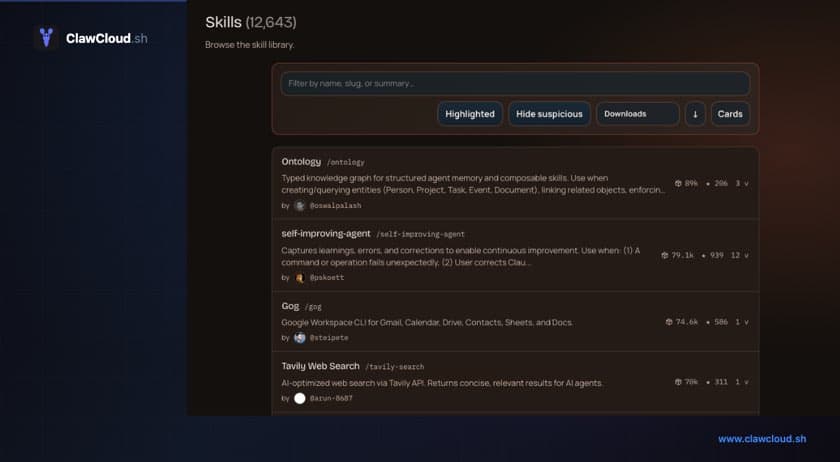
ClawHub is the public registry for OpenClaw skills. Browse what's available on the site, then install from the command line:
clawhub install tavily-search
By default, clawhub install places the skill folder into ./skills relative to your current working directory — OpenClaw picks this up as the workspace skills directory. On a ClawCloud server, the workspace is ~/.openclaw/workspace, so run it from there and it lands in ~/.openclaw/workspace/skills/. To keep installed skills current:
clawhub update --all
On a ClawCloud server, ClawHub comes pre-installed on the snapshot. You can SSH in and install skills directly, or wait for skills to be added to the default config in future updates.
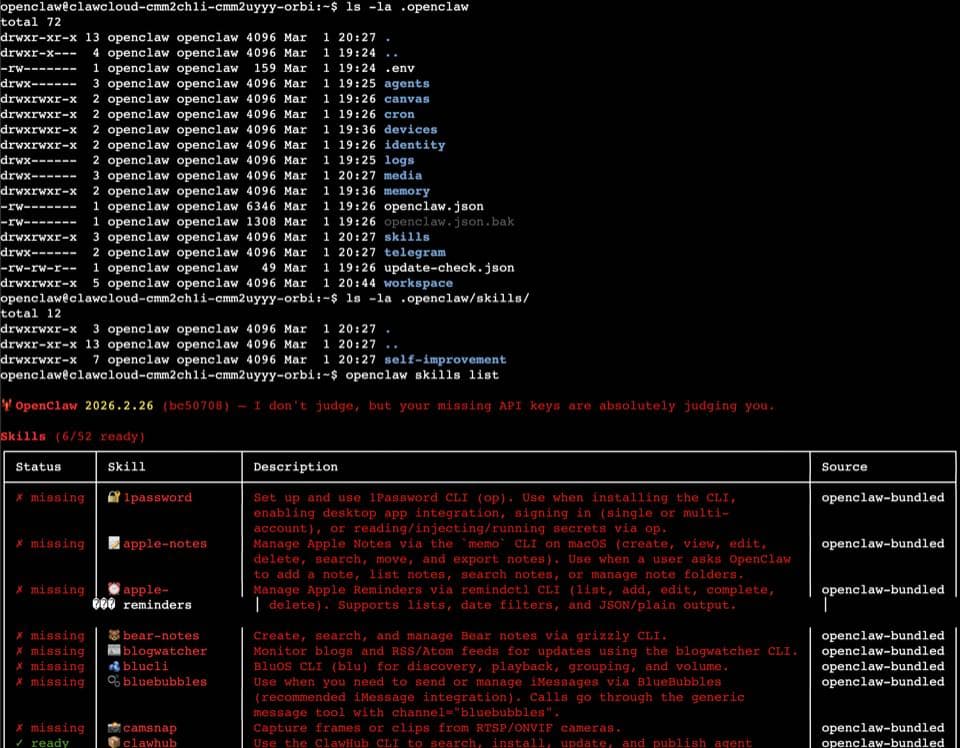
The install command is clawhub install, not openclaw install. The main OpenClaw CLI does not handle skill installation.
Which skills to install first
Start with whatever matches how you use the bot. If you ask your bot questions that benefit from current information, a web search skill like tavily-search is the obvious first pick. If you send it long documents or links, look for the summarize skill.
Check the skills documentation for a full list of bundled skills that ship with OpenClaw out of the box, and browse ClawHub for community-contributed options.
A note on third-party skills
Skills run as part of the bot's prompt context. A malicious skill could instruct the model to send data somewhere or behave in ways you didn't intend. Read the SKILL.md file before enabling any skill you didn't write yourself. Bundled and well-known ClawHub skills are reviewed, but treat anything else with the same caution you'd give a random npm package.
What's next
Once your bot has skills installed, it uses them automatically when the conversation fits. You can also explore OpenClaw memory, which lets the bot write and recall notes across conversations. Memory and skills work well together since the bot can combine tool use with accumulated context.
For model selection and cost management, see the model switching guide.