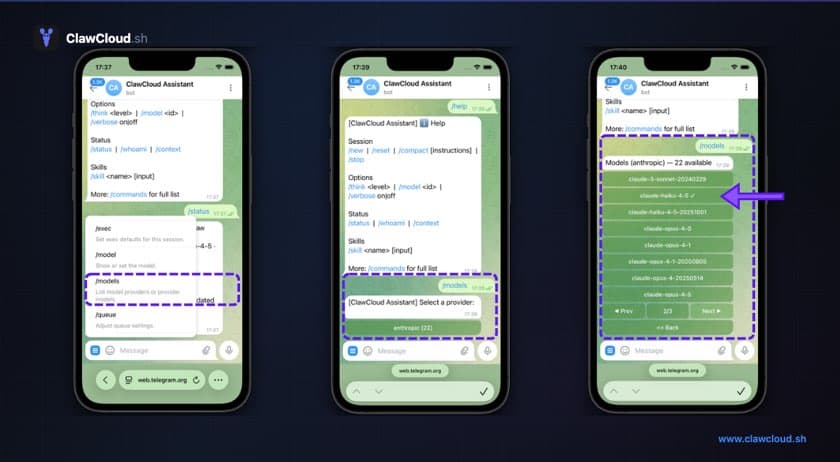
Your OpenClaw bot on ClawCloud comes with the full model catalog for whatever AI provider you deployed with. This guide covers how to switch between models in a live conversation using OpenClaw's /model command.
What you'll need
- A running OpenClaw bot on ClawCloud (any plan)
- Access to your bot on Telegram or Discord
Available models
The exact catalog depends on your setup and can change over time. Use /model list (or /models) in chat to see what your instance can use right now.
| Setup | Models available |
|---|---|
| Managed (default) | Curated multi-provider catalog |
| Anthropic (BYOK) | Anthropic models only |
| OpenAI (BYOK) | OpenAI models only |
| Google (BYOK) | Google models only |
In BYOK mode, you can only use models from the provider whose API key you provided. In managed mode, you can switch across providers from one catalog.
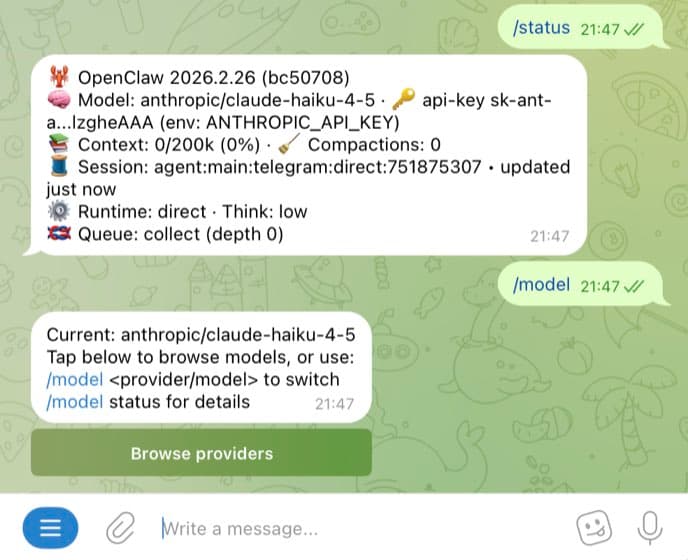
Step 1: Check your current model
Send /model status to your bot. It shows which model is currently active.
If you want the full picker/list first, run /model list (or /models).
Step 2: Switch using an alias
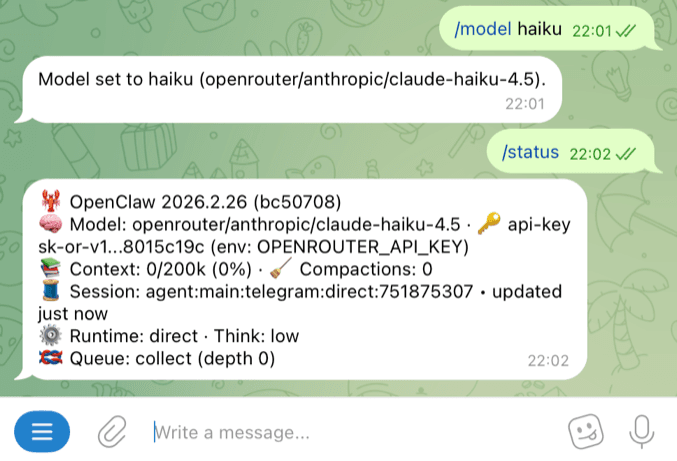
The fastest way to switch is with a short alias. Send /model followed by the alias name:
/model haiku
/model opus
/model sonnet
The bot confirms the switch and uses the new model for all following messages.
Here are all the available aliases:
| Alias | Resolves to |
|---|---|
opus | anthropic/claude-opus-4-6 |
sonnet | anthropic/claude-sonnet-4-5 |
haiku | anthropic/claude-haiku-4-5 |
gpt | openai/gpt-5.2 |
gpt-mini | openai/gpt-5-mini |
gemini | google/gemini-3-pro-preview |
gemini-flash | google/gemini-3-flash-preview |
In BYOK mode, aliases only work within your provider. If your bot uses an Anthropic key, the gpt and gemini aliases won't work. In managed mode (the default), all aliases work because multi-provider models are enabled.
Step 3: Switch using a full model name
For models without aliases, use the full name:
/model openai/o4-mini
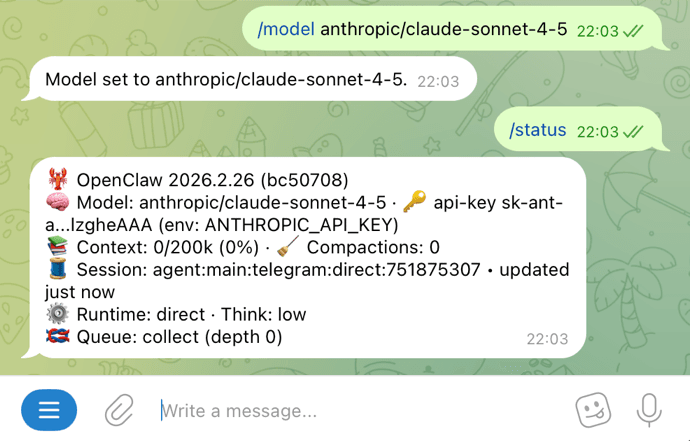
/model anthropic/claude-sonnet-4-5
/model google/gemini-2.5-flash
The format is always provider/model-name.
If a model ID in /model list contains extra path segments, copy and paste the full ID exactly as shown.
When to use which model
There's no single best model. It depends on what you're asking.
Quick factual questions, translations, simple tasks: Use a smaller model like Haiku, GPT-mini, or Gemini Flash. Faster responses, lower API cost.
Writing, analysis, complex reasoning: Use Opus, GPT-5-pro, or Gemini Pro. Slower and more expensive, but the output quality is noticeably better for harder tasks.
Code generation and debugging: The Codex models (OpenAI) or Sonnet (Anthropic) are good middle ground options.
See API Costs Explained for per-model pricing.
Troubleshooting
"/model" returns an error or "command not found": Send the command as a standalone message (not inline with other text). Run /commands to verify commands are enabled. If you recently changed config, reboot from the dashboard and try again.
Alias doesn't work: Make sure you're using an alias that matches your provider. Anthropic bots only recognize opus, sonnet, and haiku. OpenAI bots only recognize gpt and gpt-mini. Google bots only recognize gemini and gemini-flash. Use /model list to confirm what's available on your bot.
Model switch doesn't seem to change anything: The switch applies to new messages only. Previous messages in the conversation were already generated by the old model. Run /model status to confirm the active model.