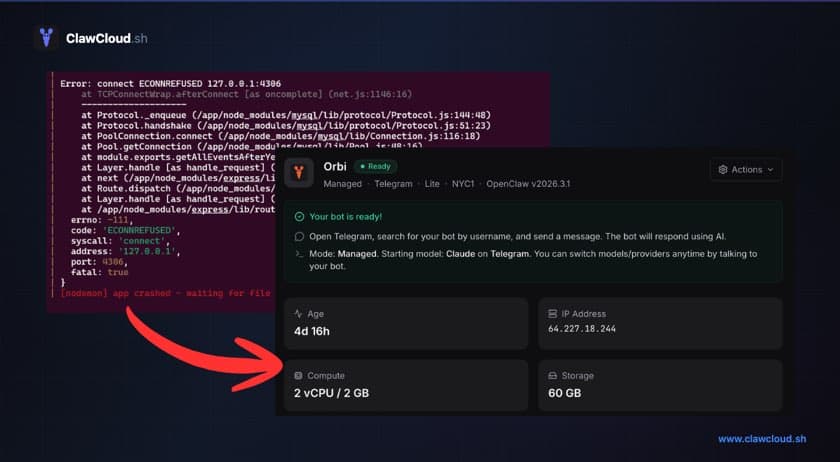
OpenClaw is an open-source AI assistant that connects to Telegram, Discord, WhatsApp, and more. The project is actively maintained and genuinely useful once it's running.
The problem is getting it running.
What the README doesn't tell you
The official docs make setup look straightforward: install Node.js, run the onboard command, paste your API key, and you're done. In practice, here's what people actually experience:
Docker detours. OpenClaw does ship official Docker support — there's a docker-setup.sh script, pre-built images on GitHub Container Registry, and a full Docker Compose setup documented at docs.openclaw.ai/install/docker. But Docker adds its own layer of friction: permissions, volume mounts, network bind modes, OOM errors during image build, and pairing flows that behave differently inside containers. One user on Reddit described the experience as "a nightmare" when trying to connect their containerized gateway to local models. Others gave up after errors they had no idea how to debug.
API key confusion. The onboard wizard asks for API keys, but many users report the key not being recognized even after setting it correctly. One person wrote: "keep getting an error that my api key isn't set up even when it is." The config file format is specific, and small mistakes break things silently.
Config file complexity. OpenClaw's config file (openclaw.json) has nested objects for models, channels, agents, and gateway settings. Getting the model configured as an object instead of a string, setting the right DM policy, and adding the correct channel tokens — each of these is a potential failure point. One GitHub user stayed up "til three AM for several nights" chasing config issues.
Platform-specific pain. Windows users have it worst. One user wrote: "two days of endless errors and headache. Finally give up." macOS isn't much better for beginners dealing with Docker Desktop permissions and file path differences. Even npm itself trips people up — PATH issues, Node version mismatches, and silent failures that look like a successful install. See the OpenClaw npm install error guide for the most common failure modes.
The gap between "running" and "useful"
Even when OpenClaw starts successfully, there's a second layer of problems. As one Reddit user put it:
"There's a huge gap between 'it's running' and 'it's useful' and I'm clearly stuck in that gap."
Common post-install issues:
- Verbose AI responses that burn through tokens fast (one user reported 4 million tokens in a couple of hours)
- Channel connections dropping or requiring manual restarts
- The bot responding but not doing anything useful without prompt tuning
- No clear guidance on what to do after the initial setup
Token burn is real
API costs surprise a lot of new users. OpenClaw's default behavior can be chatty, sending long responses that consume far more tokens than expected. Without configuration tuning, it's easy to spend $20–50 in API costs during the first few hours of testing.
This isn't an OpenClaw bug — it's a configuration and defaults issue that experienced users know to adjust. But for newcomers, it's a frustrating and expensive surprise.
Security concerns
Self-hosting an AI agent with broad permissions raises legitimate security questions. The agent runs on your network, potentially accessing files, services, and APIs you didn't intend. Without firewall rules and proper network isolation, a misconfigured instance is exposed to anyone who finds it.
Running OpenClaw safely requires understanding network isolation, firewall rules, and service permissions — skills that most non-technical users don't have.
The alternative
This isn't a criticism of OpenClaw — the software works well when properly configured. The OpenClaw docs are thorough and cover macOS, Linux, and Windows. The issue is the gap between "the install script ran" and "properly configured" — the config file, daemon setup, channel pairing, model settings, and DM policy all have to be right before anything works.
Managed hosting platforms like ClawCloud eliminate this gap entirely. You pick a model, connect a channel, and click deploy. The server provisioning, OpenClaw installation, configuration, security hardening, and ongoing updates are all handled automatically. See the full hosting breakdown for what each instance includes.
If you've already lost an evening to it, the math on managed hosting changes fast. See how fast the ClawCloud deploy actually takes.