What "private AI assistant" actually means
When people say they want a private AI assistant, they usually mean one of a few things: they want their chat history off shared consumer servers, they want to control which model handles their data, or they just want an assistant that does not require opening another browser tab.
OpenClaw covers all three. It runs on a dedicated server that belongs to your account. Your conversation history stores as plain files on that server. You configure the API key and the model — not the platform.
That is what private means in this context: your server, your key, your history.
Why a dedicated server changes things
Running OpenClaw locally means your assistant goes offline when your computer sleeps. Running it on a shared consumer platform means your conversations pass through someone else's infrastructure.
ClawCloud gives you a dedicated server running only your OpenClaw instance:
- Always available — Runs 24/7, even when your devices are off.
- Your data — Conversation history stays on your server, not a shared platform.
- Your API key — You control which model handles requests and what limits apply.
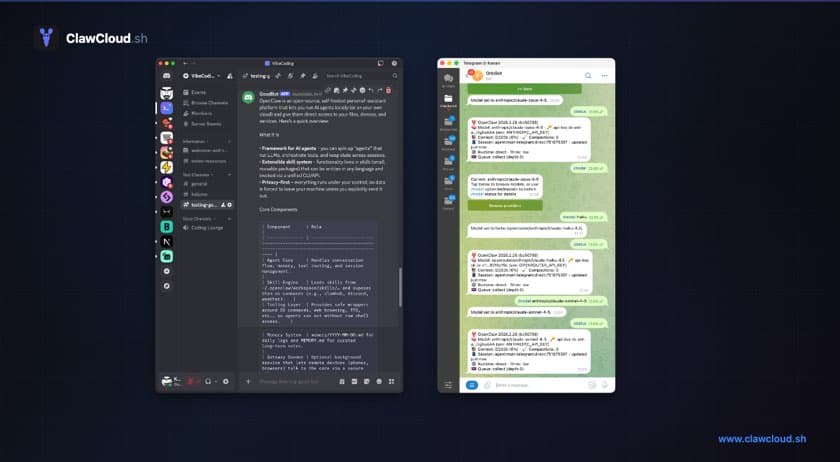
- Your channels — Connect Telegram, Discord, or Feishu. Many other channels are supported too.
Build your own AI assistant: what it actually involves
Setting up a personal OpenClaw AI assistant takes under ten minutes on managed hosting:
- Go to the deploy wizard.
- Pick a plan. Lite at $29/month covers most personal use.
- Connect Telegram, Discord, or your preferred channel.
- Choose a model — or use the managed default.
Your assistant is live and accessible from your phone before you finish your coffee.
If you want to run it yourself on your own server instead, see the self-hosting guide. The setup takes longer and requires server maintenance, but costs less per month.
Daily use: what a personal AI assistant handles
- Research and summaries — Send a link or paste a document. Ask follow-up questions in the same thread.
- Drafting — Write a rough message and ask for a cleaner version. Or just describe what you want and let the bot draft it.
- Learning — Ask for explanations, request examples, or tell the bot to quiz you on something.
- Quick lookups — Ask a question mid-conversation without switching to a search engine.
- Translation — Send text in any language, get a translation back, ask for phrasing alternatives.
The common thread is that these are tasks you already do throughout your day. Having them in your messaging app means fewer context switches and less time spent managing tools.
Choosing a model for personal use
For most personal use, a mid-tier model is the right starting point. Claude Haiku and GPT-4.1 Mini handle summarization, drafts, and Q&A quickly and cheaply. For longer documents or more complex reasoning, switch up to Claude Sonnet or GPT-4.1 with the /model command.
See how to choose an OpenClaw model without overpaying for a full breakdown.