OpenClaw stores everything in one file: ~/.openclaw/openclaw.json. Which channel the bot is connected to, which AI model it uses, who can DM it — all of it comes from here.
If you deployed through ClawCloud, this file was written for you during provisioning. You don't have to touch it to get a working bot. But knowing what's in it makes troubleshooting much faster when something behaves unexpectedly.
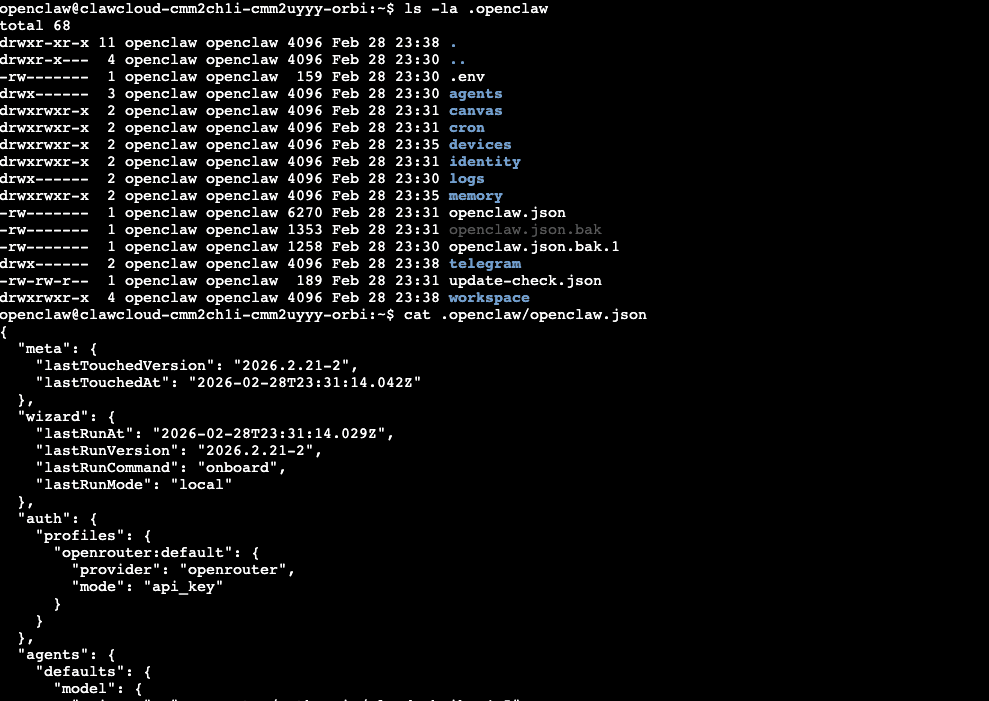
What's in the File
channels — the messaging platform your bot is connected to. Each channel entry holds the bot token, DM policy, and group settings. For Telegram, relevant keys are dmPolicy, allowFrom, groupPolicy, and groups. Discord uses guilds instead of groups. See the Telegram channel docs or Discord channel docs for the full per-channel schema.
agents.defaults.model — the AI model the bot uses. OpenClaw expects this to be an object with a primary key:
{
  "agents": {
    "defaults": {
      "model": { "primary": "openai/gpt-4.1-mini" }
    }
  }
}
String values here will cause the gateway to refuse to start. If your bot is not responding after a model change, check this key first.
agents.defaults — bot identity and behavior: system prompt, name, temperature, and generation settings. See How to Customize Your OpenClaw Bot Identity for a walkthrough.
gateway — server-level settings like port and log level. Leave this alone unless you're running a self-hosted setup and need to change the port.
One upgrade-specific exception: OpenClaw 2026.3.7 now requires gateway.auth.mode when both gateway.auth.token and gateway.auth.password are present. If you maintain gateway auth yourself, check that before you upgrade. The practical fix is covered in OpenClaw 2026.3.7 Breaking Change: Set gateway.auth.mode Before You Upgrade.
For the full schema, see the OpenClaw documentation.
What ClawCloud Sets Up for You
During provisioning, cloud-init writes:
- Your channel bot token under the matching channel key
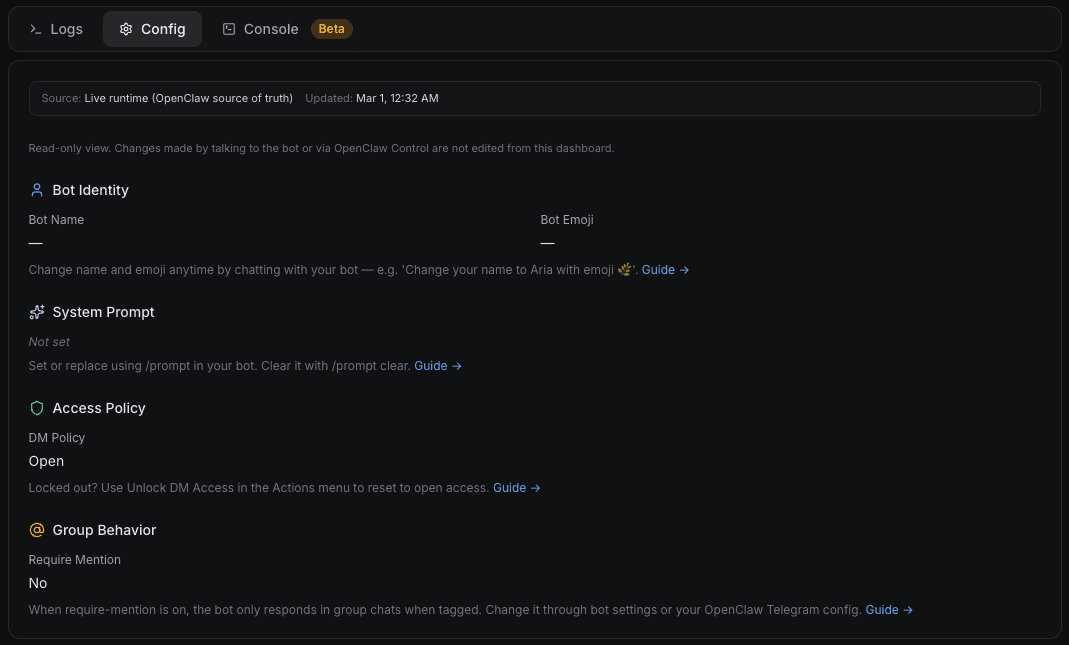
dmPolicy: "open"andallowFrom: ["*"]so DMs work immediately after deploygroupPolicy: "open"so group chats work without extra steps- The model you picked during checkout as
agents.defaults.model
The Config tab in your dashboard shows a live read-only view of this config, pulled directly from your running instance. If you want to change DM policy, see How to Change the OpenClaw DM Policy. For group chat behavior, see How to Configure OpenClaw Group Chat Behavior.
How Config Changes Apply
OpenClaw watches openclaw.json and picks up most changes automatically. You don't need to restart the gateway after every edit.
Changes that apply instantly: channel settings, model, agent config, routing, tools, cron, sessions.
Changes that require a gateway restart: server infrastructure settings. OpenClaw handles the restart automatically for those.
After editing the file, run openclaw doctor to confirm the config was accepted and the gateway is healthy.
If you'd rather not edit the JSON directly, openclaw config set accepts dot-notation paths:
openclaw config set agents.defaults.model.primary openai/gpt-4.1-mini
The result is identical to a manual edit. Use whichever approach you're more comfortable with.
Running OpenClaw in Docker
The default config path (~/.openclaw/openclaw.json) maps to /root/.openclaw/openclaw.json inside a container running as root. Without a bind-mount, that file disappears when the container stops.
To persist config across container restarts, mount a host directory:
docker run -v /your/host/config:/root/.openclaw openclaw/openclaw
Or in Docker Compose:
volumes:
  - ./openclaw-config:/root/.openclaw
Run openclaw onboard once with the volume mounted to generate the initial config, then all future restarts will pick it up. See the Docker setup guide for a full example.
"No Configuration File Not Found"
This error shows up when the OpenClaw gateway starts before openclaw.json exists — usually because you tried to run a command before provisioning finished. If you see it on a fresh ClawCloud deploy, wait for the dashboard status to show "active" and try again.
On a self-hosted install, run openclaw onboard before anything else. That's what creates the config file. Running the gateway without it will always produce this error.
OpenClaw Skills Config
Skills installed via clawhub add their own entries under tools in the config file. To see what's currently loaded:
openclaw config get tools
Skills handle their own config reload — you don't need to restart the gateway after installing one.
Troubleshooting
Config change not taking effect — Run openclaw doctor to confirm the gateway picked it up. If not, force a reload with openclaw gateway restart.
openclaw configure ran but bot behavior didn't change — The wizard writes to openclaw.json, but if hot reload is disabled, changes won't apply until the gateway restarts. Run openclaw gateway restart to force it, then openclaw doctor to confirm.
Gateway won't start after a config edit — Config validation is strict. Unknown keys, a model value that's a string instead of an object, or an empty allowFrom array with dmPolicy: "allowlist" will all block the gateway. Run openclaw doctor --fix to get a specific error message and a suggested repair.