OpenClaw 2026.3.13 is out. The headline is GPT-5.4 — OpenAI's latest flagship — available as both openai/gpt-5.4 and openai/gpt-5.4-pro. Alongside the model additions, this release ships a standalone OpenAI Codex provider, Z.AI/GLM-5 support, OpenCode providers, and multi-key rotation that automatically cycles through keys when you hit rate limits.
No breaking changes from 3.12 for existing configs. For the complete provider reference, see the OpenClaw model providers docs.
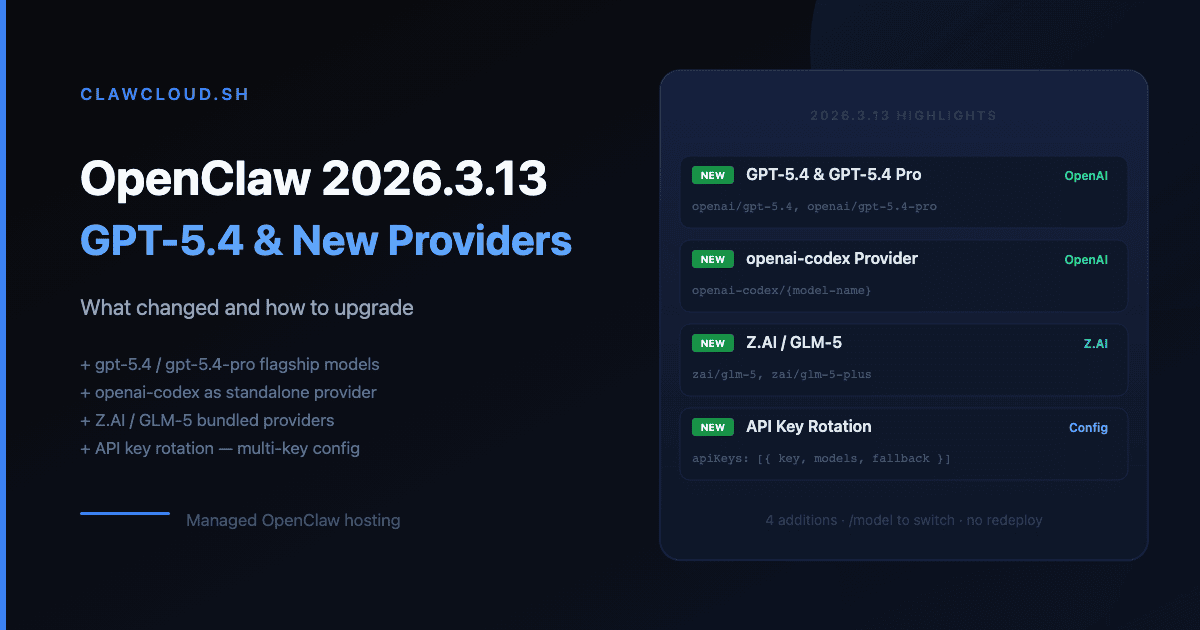
GPT-5.4 and GPT-5.4-pro
OpenAI's new flagship models are now in the pi‑ai catalog. Two variants are available:
| Model ID | Use case |
|---|---|
openai/gpt-5.4 | General use, the current recommended OpenAI default |
openai/gpt-5.4-pro | Pro tier, higher capability ceiling |
Both use WebSocket-first transport by default (auto mode), with SSE as a fallback. WebSocket warm-up is on by default — you can disable it per model if you find it adds latency in your setup:
{
  "agents": {
    "defaults": {
      "models": {
        "openai/gpt-5.4": {
          "alias": "GPT-5.4",
          "params": { "openaiWsWarmup": false }
        }
      },
      "model": { "primary": "openai/gpt-5.4" }
    }
  }
}
To try GPT-5.4 in chat without changing your default, use /model openai/gpt-5.4.
For ClawCloud managed instances: GPT-5.4 is available via BYOK with your own OpenAI API key. On managed AI credits, switch models with /model openai/gpt-5.4 or /model openai/gpt-5.4-pro — ClawCloud routes to the model automatically. See the OpenClaw model configuration docs for the full model.primary reference.
OpenAI Codex is now its own provider
openai-codex is now a separate provider ID for ChatGPT subscription users. If you were using a ChatGPT Plus or Team subscription for code-focused tasks, the new canonical path is:
openclaw onboard --auth-choice openai-codex
This separates subscription OAuth from direct API key auth, which was previously mixed under the openai provider. The model ID follows the same pattern:
{
  "agents": {
    "defaults": {
      "model": { "primary": "openai-codex/gpt-5.4" }
    }
  }
}
Note on Spark: openai/gpt-5.3-codex-spark is now suppressed. The live OpenAI API rejects it — Spark is a Codex-subscription-only model. If you had it in your config or allowlist, switch to openai-codex/gpt-5.3-codex-spark (when it appears in your Codex catalog) or drop it. See the OpenClaw CLI onboarding reference for --auth-choice openai-codex setup details.
ClawCloud update: ClawCloud manages this automatically — no action needed for managed instances. The agent's allowlist is updated to reflect the correct provider prefixes.
Z.AI / GLM-5
The zai provider is now bundled, giving you access to GLM-5 without a custom provider config. Auth:
openclaw onboard --auth-choice zai-api-key --zai-api-key "$ZAI_API_KEY"
Model:
{
  "agents": {
    "defaults": {
      "model": { "primary": "zai/glm-5" }
    }
  }
}
If you had the z.ai/* or z-ai/* model ID variants in an existing config, they normalize to zai/* automatically — no config edit required.
Endpoint auto-detection: --auth-choice zai-api-key now picks the best Z.AI endpoint for your key (prefers the general API with zai/glm-5). If you specifically need the GLM Coding Plan endpoint, pick zai-coding-global or zai-coding-cn instead.
API key rotation
You can now configure multiple API keys per provider. When one key hits a rate limit, OpenClaw retries the request with the next key in the list. It only rotates on rate-limit responses (429, rate_limit, quota, resource exhausted) — not on other errors.
Three ways to supply rotation keys for any provider:
# Comma or semicolon list
export OPENAI_API_KEYS="sk-key1,sk-key2,sk-key3"

# Numbered list
export OPENAI_API_KEY_1="sk-key1"
export OPENAI_API_KEY_2="sk-key2"

# Single live override (highest priority)
export OPENCLAW_LIVE_OPENAI_KEY="sk-live-override"
Key selection priority: OPENCLAW_LIVE_<PROVIDER>_KEY → <PROVIDER>_API_KEYS → <PROVIDER>_API_KEY → numbered keys (<PROVIDER>_API_KEY_1, etc.). Rotation only happens within a single request — the sequence resets on the next request.
ClawCloud update: Key rotation applies when you're on BYOK with your own direct provider keys. For managed instances, credit limits and key health are handled by ClawCloud — no action needed.
OpenCode providers
opencode (Zen runtime) and opencode-go (Go runtime) are now bundled providers:
# Zen runtime
openclaw onboard --auth-choice opencode-zen

# Go runtime
openclaw onboard --auth-choice opencode-go
Model IDs:
opencode/claude-opus-4-6— Zen runtime with Claude Opus 4.6opencode-go/kimi-k2.5— Go runtime with Kimi K2.5
{
  "agents": {
    "defaults": {
      "model": { "primary": "opencode/claude-opus-4-6" }
    }
  }
}
Both require OPENCODE_API_KEY (or OPENCODE_ZEN_API_KEY for Zen).
Storing API keys as references
If running OpenClaw in automation or on a shared server, you can now write env-backed references instead of plaintext key values during non-interactive onboarding:
export OPENAI_API_KEY="sk-..."
openclaw onboard --non-interactive \
  --auth-choice openai-api-key \
  --secret-input-mode ref \
  --accept-risk
With --secret-input-mode ref, onboarding writes a reference (keyRef pointing to OPENAI_API_KEY) instead of the resolved secret. The key is read from the env at runtime, not persisted in the config file. Same option is available for the gateway token:
export OPENCLAW_GATEWAY_TOKEN="your-token"
openclaw onboard --non-interactive \
  --mode local \
  --auth-choice skip \
  --gateway-auth token \
  --gateway-token-ref-env OPENCLAW_GATEWAY_TOKEN \
  --accept-risk
ClawCloud update: ClawCloud's provisioning writes refs where possible — managed instances already benefit from this pattern. Self-hosted operators configuring headless setups via lib/provisioning/cloud-init.ts may want to adopt --secret-input-mode ref for new instances.
Google model ID cleanup
google/gemini-3.1-flash-preview normalizes to google/gemini-3-flash-preview automatically. If you had the legacy ID in your config, nothing breaks. The normalization is transparent.
If you want to be explicit, update your config to the canonical form:
- "google/gemini-3.1-flash-preview": { "alias": "Gemini Flash" }
+ "google/gemini-3-flash-preview": { "alias": "Gemini Flash" }
How to upgrade OpenClaw to 2026.3.13
ClawCloud instances on automatic updates are already running 2026.3.13. If you self-host:
npm install -g openclaw@latest
openclaw --version
No config changes are required. All normalization (Z.AI aliases, Google model IDs) is handled transparently on load.
Upgrade checklist
- Config change (optional): Update
openai/gpt-5.4andopenai/gpt-5.4-proin your models allowlist if you want to switch. ClawCloud managed instances: handled automatically. - Spark removal: If
openai/gpt-5.3-codex-sparkwas in your config, remove it or move it toopenai-codex/gpt-5.3-codex-spark. Config change — action needed for BYOK operators. - Z.AI alias cleanup (optional): If you used
z.ai/*orz-ai/*model IDs in config, update tozai/*. Normalization handles it either way. - Google model ID cleanup (optional): Replace
google/gemini-3.1-flash-previewwithgoogle/gemini-3-flash-previewif you want explicit canonical IDs. - Restart required: None. All safe changes hot-apply in
hybridreload mode.
Frequently asked questions
Is OpenClaw 2026.3.13 compatible with existing configs?
Yes. No breaking changes from 3.12. All alias normalization is transparent. The only operator action is removing openai/gpt-5.3-codex-spark if you had it explicitly in your config — the API rejects it.
How do I check my current OpenClaw version?
Run openclaw --version in your terminal. On a ClawCloud instance, the dashboard shows your agent version. You can also run openclaw status for a full gateway health summary.
Will my current model keep working? Yes. If GPT-5.4 isn't in your config, your existing primary model runs unchanged. The new models only activate if you switch to them or add them to your allowlist.
Does GPT-5.4 require a different auth setup than GPT-5.3?
No. Same OPENAI_API_KEY, same --auth-choice openai-api-key flow. The model ID is the only thing that changes.
How does key rotation affect model failover?
Key rotation runs inside the provider layer before OpenClaw moves to the next fallback model. If all keys for a provider fail on rate limits, OpenClaw falls back to the next model in agents.defaults.model.fallbacks as usual. See model failover for how fallbacks work.
Can I use GPT-5.4 on a managed ClawCloud instance without BYOK?
Yes. Switch with /model openai/gpt-5.4 from chat. Check your current plan's AI credits before running models with high token costs.
For a full tour of available models across all providers, see the full model catalog. For upgrade questions, see the getting started guide or open the dashboard on your instance.