OpenClaw 2026.3.24 covers the 2026.3.23 and 2026.3.24 patch cycle. The release adds dedicated image generation model routing, two heartbeat session modes that cut per-run token cost by over 95%, loop detection for runaway tool calls, and permanently removes the legacy TCP bridge. If your config still has bridge.* keys, the gateway will refuse to start until you remove them.
Channel config, onboarding CLI flags, and the rest of the config schema are unchanged.
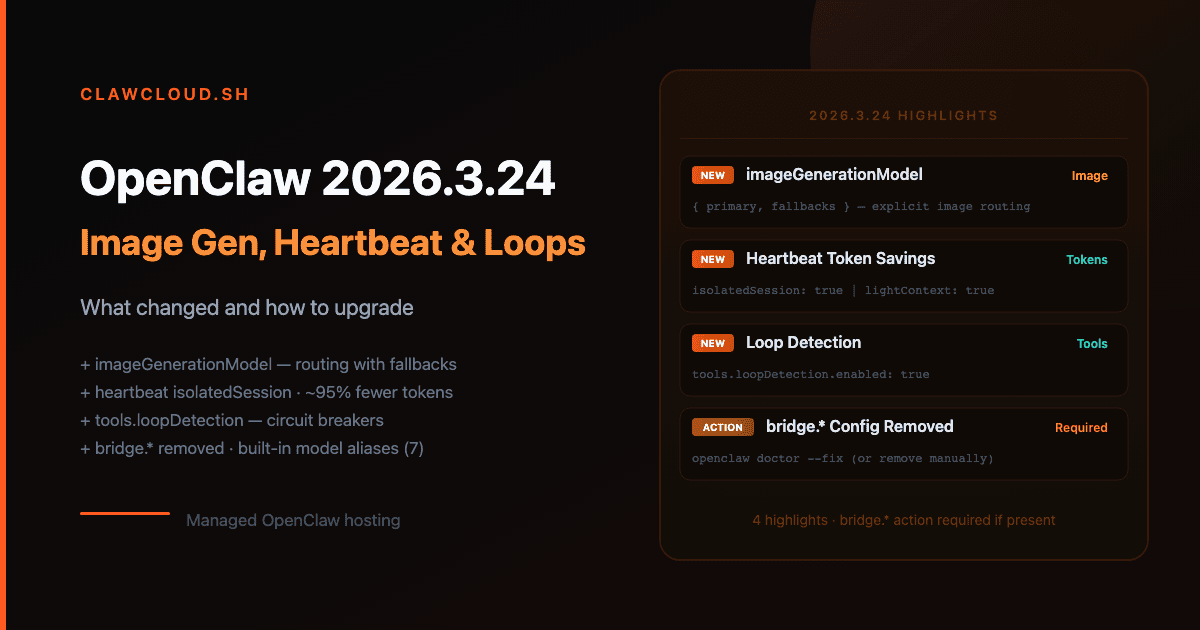
Bridge config removed — action required if you have it
The legacy TCP bridge is gone. bridge.* keys are no longer part of the config schema, and the gateway refuses to start if they're still present.
Run openclaw doctor --fix to strip them automatically:
openclaw doctor --fix
Or delete the bridge block manually from ~/.openclaw/openclaw.json. Any key under bridge — bridge.enabled, bridge.port, bridge.token — must go. Nodes connect over the Gateway WebSocket directly and have for several versions.
ClawCloud update: Managed instances never used the legacy bridge. No action needed.
imageGenerationModel — explicit image generation routing
Before this cycle, image_generate inferred a provider from whatever auth was configured. You can now pin an explicit model with fallbacks:
{
  "agents": {
    "defaults": {
      "imageGenerationModel": {
        "primary": "openai/gpt-image-1",
        "fallbacks": ["google/gemini-3.1-flash-image-preview"]
      }
    }
  }
}
Each provider needs its own auth key. For openai/gpt-image-1 that's OPENAI_API_KEY. For google/* image models use GEMINI_API_KEY or GOOGLE_API_KEY. For fal/* models use FAL_KEY.
String form also works when you only need a primary:
{
  "agents": {
    "defaults": {
      "imageGenerationModel": "google/gemini-3-pro-image-preview"
    }
  }
}
If you leave imageGenerationModel unset, image_generate falls back to best-effort provider detection — same behavior as before. Setting it explicitly removes ambiguity and lets you add fallbacks.
ClawCloud update: ClawCloud does not configure imageGenerationModel automatically. BYOK operators who have added an OpenAI or Gemini key can set this in their instance config.
pdfModel — route PDF tool calls separately
A new pdfModel field routes the pdf tool to a specific model, separate from your session primary:
{
  "agents": {
    "defaults": {
      "pdfModel": {
        "primary": "anthropic/claude-opus-4-6",
        "fallbacks": ["openai/gpt-5-mini"]
      },
      "pdfMaxBytesMb": 10,
      "pdfMaxPages": 20
    }
  }
}
pdfMaxBytesMb sets the size limit for pdf tool calls when no limit is passed at call time (default: 10). pdfMaxPages caps how many pages extraction fallback mode considers (default: 20).
If pdfModel is omitted, the pdf tool falls back to imageModel, then to provider defaults — unchanged from previous behavior.
Heartbeat: isolated sessions and light context
Two new heartbeat settings cut token usage for periodic check-ins.
isolatedSession — fresh session per heartbeat run
Each heartbeat previously accumulated history from prior runs. With isolatedSession: true, every heartbeat starts with a clean slate:
{
  "agents": {
    "defaults": {
      "heartbeat": {
        "every": "30m",
        "isolatedSession": true,
        "to": "+15555550123"
      }
    }
  }
}
Per the OpenClaw docs, this reduces per-heartbeat token cost from roughly 100,000 tokens to 2,000–5,000 tokens. Use it unless you specifically need the heartbeat agent to remember what it said last time.
lightContext — strip bootstrap files from heartbeat runs
{
  "agents": {
    "defaults": {
      "heartbeat": {
        "lightContext": true
      }
    }
  }
}
With lightContext: true, the heartbeat run loads only HEARTBEAT.md from workspace bootstrap files, dropping AGENTS.md, SOUL.md, TOOLS.md, and others. Useful when the heartbeat prompt is self-contained.
Both options work together:
{
  "agents": {
    "defaults": {
      "heartbeat": {
        "isolatedSession": true,
        "lightContext": true,
        "every": "15m"
      }
    }
  }
}
ClawCloud update: Heartbeat config lives in your instance's runtime config. ClawCloud does not configure heartbeats by default — this is optional for users who set up their own scheduled check-in flows.
Loop detection
A new tools.loopDetection section adds circuit breakers for tool loops. Disabled by default:
{
  "tools": {
    "loopDetection": {
      "enabled": true,
      "historySize": 30,
      "warningThreshold": 10,
      "criticalThreshold": 20,
      "globalCircuitBreakerThreshold": 30,
      "detectors": {
        "genericRepeat": true,
        "knownPollNoProgress": true,
        "pingPong": true
      }
    }
  }
}
Three detectors ship out of the box:
genericRepeat— warns when the agent calls the same tool with the same arguments repeatedlyknownPollNoProgress— targets known polling tools (process.poll,command_status) that loop without making progresspingPong— catches alternating no-progress call pairs
warningThreshold must be less than criticalThreshold, which must be less than globalCircuitBreakerThreshold. Config validation fails if they're out of order.
Per-agent overrides are available at agents.list[].tools.loopDetection.
Per-channel model pinning
channels.modelByChannel pins specific channel IDs to a model, regardless of the session's current default:
{
  "channels": {
    "modelByChannel": {
      "discord": {
        "123456789012345678": "anthropic/claude-opus-4-6"
      },
      "telegram": {
        "-1001234567890": "openai/gpt-5-mini",
        "-1001234567890:topic:99": "anthropic/claude-sonnet-4-6"
      }
    }
  }
}
Values accept provider/model IDs or configured model aliases. The pinned model applies when the session has no existing model override (for example, from /model). A Telegram forum topic can be pinned separately from its parent group, as shown above.
Built-in model aliases
Seven built-in shorthand aliases are now available for /model switching:
| Alias | Resolves to |
|---|---|
opus | anthropic/claude-opus-4-6 |
sonnet | anthropic/claude-sonnet-4-6 |
gpt | openai/gpt-5.4 |
gpt-mini | openai/gpt-5-mini |
gemini | google/gemini-3.1-pro-preview |
gemini-flash | google/gemini-3-flash-preview |
gemini-flash-lite | google/gemini-3.1-flash-lite-preview |
These only apply when the target model is in agents.defaults.models. Your own configured aliases override them if there's a naming conflict.
Switch in chat with:
/model gpt-mini
New model options
openai/gpt-5-mini is now in the pi-ai catalog, and it's the target for the gpt-mini built-in alias. Use it anywhere a model ID is accepted:
{
  "agents": {
    "defaults": {
      "model": { "primary": "openai/gpt-5-mini" }
    }
  }
}
For image generation, three dedicated models are documented in the current release:
openai/gpt-image-1— OpenAI Images APIgoogle/gemini-3.1-flash-image-preview— Gemini image generation, faster variantgoogle/gemini-3-pro-image-preview— Gemini image generation, higher quality
Set whichever you have auth for in imageGenerationModel.
Subagent file attachments
tools.sessions_spawn.attachments adds opt-in inline file delivery to spawned subagents. Off by default:
{
  "tools": {
    "sessions_spawn": {
      "attachments": {
        "enabled": true,
        "maxTotalBytes": 5242880,
        "maxFiles": 50,
        "maxFileBytes": 1048576
      }
    }
  }
}
Files are materialized into the child workspace at .openclaw/attachments/<uuid>/ with a .manifest.json. Attachment content is not persisted in transcripts. Only supported for runtime: "subagent" — ACP runtime rejects inline attachments.
Compaction improvements
Three new fields in agents.defaults.compaction:
identifierPolicy controls how compaction summarization handles opaque identifiers:
{
  "agents": {
    "defaults": {
      "compaction": {
        "identifierPolicy": "strict",
        "identifierInstructions": "Preserve deployment IDs, ticket IDs, and host:port pairs exactly."
      }
    }
  }
}
strict (default) prepends built-in identifier retention guidance during summarization. off skips it. custom uses identifierInstructions text instead.
model runs compaction on a different model than the session's primary. Useful when you want cheap summarization without switching the main model:
{
  "agents": {
    "defaults": {
      "compaction": {
        "model": "openrouter/anthropic/claude-sonnet-4-6"
      }
    }
  }
}
memoryFlush runs a silent agentic turn before auto-compaction starts, giving the agent a chance to write durable memories first:
{
  "agents": {
    "defaults": {
      "compaction": {
        "memoryFlush": {
          "enabled": true,
          "softThresholdTokens": 6000,
          "systemPrompt": "Session nearing compaction. Store durable memories now.",
          "prompt": "Write any lasting notes to memory/YYYY-MM-DD.md; reply with NO_REPLY if nothing to store."
        }
      }
    }
  }
}
Memory flush is skipped when the workspace is read-only.
Node 24 recommended for self-hosters
The OpenClaw docs now recommend Node 24. Node 22 LTS (22.14+) remains supported — existing installations continue to work without changes. If you're setting up a new self-hosted instance from scratch, start with Node 24.
ClawCloud update: Node version is managed by ClawCloud on managed instances. No action needed.
How to upgrade OpenClaw to 2026.3.24
Managed ClawCloud instances update automatically. For self-hosted setups:
npm install -g openclaw@latest
openclaw --version
Upgrade checklist
- Bridge removal (action required if affected): Run
openclaw doctor --fixor remove anybridge.*keys from~/.openclaw/openclaw.json. Config validation fails until this is done. ClawCloud managed instances: not affected. - Node 24 (self-hosters, informational): Upgrade to Node 24 for new deployments. Node 22 LTS 22.14+ still works. ClawCloud managed instances: handled automatically.
-
imageGenerationModel(optional): If you useimage_generateand want explicit model routing with fallbacks, addimageGenerationModelto your config. Existing best-effort behavior is unchanged if you leave it out. - Heartbeat token savings (optional): Add
isolatedSession: trueand/orlightContext: trueto your heartbeat config. Cut per-run token cost from ~100K to ~2-5K tokens. No impact if you don't use heartbeats. - Loop detection (optional): Enable
tools.loopDetectionif you want circuit breakers on tool loops. Off by default.
Frequently asked questions
Does removing bridge.* affect how nodes connect?
No. Nodes already connect over the Gateway WebSocket. The TCP bridge was removed from the runtime several versions ago — the config keys were the last remnant. If your config never had a bridge block, you're not affected.
Will existing heartbeat sessions break if I enable isolatedSession?
No. It only applies to new heartbeat runs going forward. Existing session history stays on disk under the normal session retention policy. The agent just won't load prior runs when isolatedSession: true is set.
Do I need imageGenerationModel set to use image generation?
No. Without it, image_generate still auto-detects a provider from configured auth. Setting it explicitly removes the guesswork and gives you control over fallbacks.
How do I check which OpenClaw version my instance is running?
Run openclaw --version on the host. For a ClawCloud managed instance, the agent version appears on the instance detail page in the dashboard. The GET /meta agent endpoint also returns the version for programmatic checks.
Can I use pdfModel as a fallback only, keeping my primary for other calls?
No. Setting pdfModel routes all pdf tool calls to that model exclusively. To keep your primary model for PDFs, leave pdfModel unset — the tool falls back to imageModel and then to provider defaults automatically.
For the full field reference, see the OpenClaw configuration reference. For a complete list of supported providers, see the model providers docs. To review what changed in the previous cycle, see the OpenClaw 2026.3.13 upgrade guide.
New to OpenClaw? The getting started guide covers deploying your first instance on ClawCloud. For model cost context, see OpenClaw API costs explained.