OpenClaw 2026.3.28 covers changes from the 2026.3.25–2026.3.28 cycle. The headline items: xAI moves to the Responses API and gains a native x_search web tool, a new openclaw config schema command lets you inspect the full config JSON schema, and the config doctor stops silently repairing config keys that have been obsolete since early 2026. Channel work rounds out the release — Telegram message splitting, Discord reconnect hardening, Slack file uploads, and new ACP binding support for Discord, BlueBubbles, and iMessage.
If you're coming from an older cycle, the OpenClaw 2026.3.24 upgrade guide covers heartbeat isolation, loop detection, image generation routing, and PDF model config — those changes carry forward.
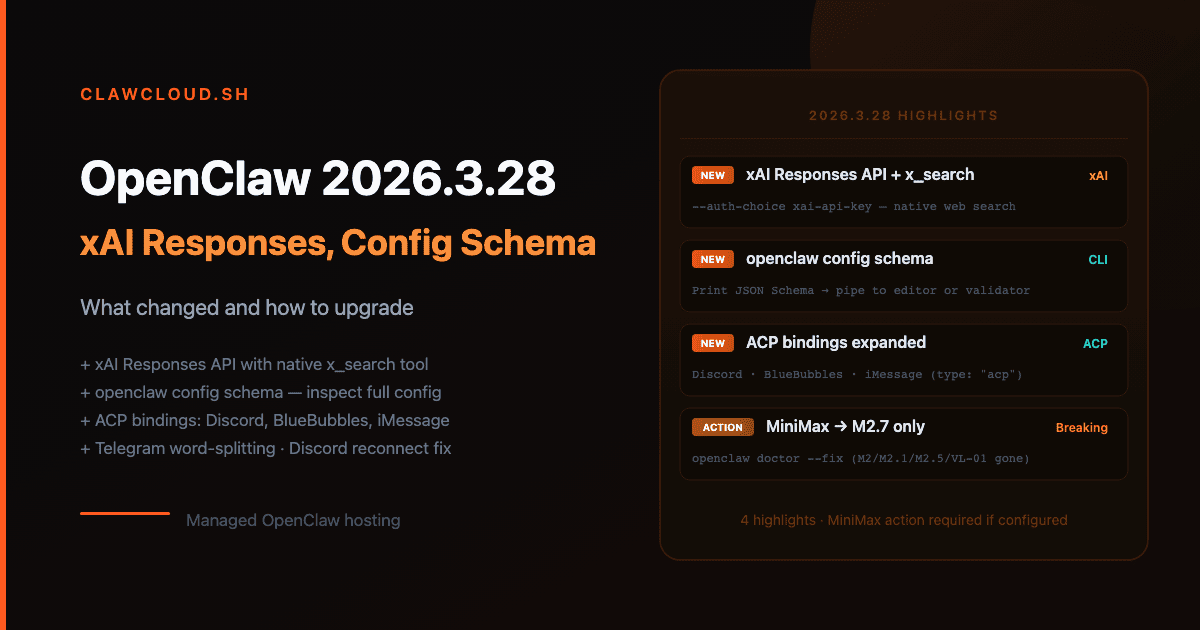
What's Changed in OpenClaw 2026.3.28
Config validation no longer auto-repairs old keys
The config doctor previously rewrote legacy config keys — deprecated field names from before 2026 — at startup, silently fixing configs that were months out of date. That behavior is gone for keys older than two months from the current build date.
If your gateway is running clean today, this doesn't affect you. Those keys haven't been valid since early 2026, and any setup from the past few months wouldn't have them. But if you're running an instance that's been up since before January 28, 2026 without any config overwrite, run openclaw doctor first:
openclaw doctor
Any validation issues will be listed. openclaw doctor --fix still repairs them — the change is that the gateway no longer applies that repair automatically at start time.
ClawCloud note: Managed instances have their config written by ClawCloud's agent, which always writes current-schema keys. No action needed.
New command: openclaw config schema
A new CLI command prints the JSON Schema document for ~/.openclaw/openclaw.json:
openclaw config schema
The output is a schema you can load into an editor that understands JSON Schema for autocomplete, or pipe into a validator to check a config file against the current version spec. It's a quick alternative to reading through the full configuration reference when you just want to know what fields exist or what types they accept.
xAI moves to the Responses API with x_search
The xai provider switches from Chat Completions to the Responses API. As part of that, xAI models that support native search now expose an x_search tool through the gateway.
If you have a web-search skill configured, the xAI plugin picks that up and auto-enables x_search — no additional config needed. If you're not on xAI today but want to try it:
openclaw onboard --non-interactive \
  --auth-choice xai-api-key \
  --accept-risk
Set XAI_API_KEY in your environment before running. The --auth-choice xai-api-key path stores the credential and wires up the provider. After onboarding, select an xAI model from /model in chat or openclaw models set <xai/model-id>.
The standard provider page for xAI on the model providers reference has the current model IDs.
ClawCloud note: xAI models are available in the ClawCloud model picker. If you select one, Responses API routing and x_search activate automatically once your instance is on 2026.3.28.
MiniMax catalog trimmed to M2.7 only
The MiniMax plugin now ships only minimax/MiniMax-M2.7. Models M2, M2.1, M2.5, and VL-01 are gone.
If you have one of those IDs in config, the gateway will refuse to start with a validation error. Fix it before upgrading:
- "agents": { "defaults": { "model": { "primary": "minimax/MiniMax-M2.5" } } }
+ "agents": { "defaults": { "model": { "primary": "minimax/MiniMax-M2.7" } } }
Or let the doctor handle it after upgrading:
openclaw doctor --fix
ClawCloud note: MiniMax is not in the default model allowlist on ClawCloud instances. If you added it manually via your instance config, update the model ID to minimax/MiniMax-M2.7.
Channel reliability improvements
Telegram — word-boundary message splitting: Long responses now split at word boundaries. The previous behavior could cut mid-word when a response exceeded the message size limit. No config change required.
Discord — stale socket drain on reconnect: The Discord reconnect path now drains stale WebSocket connections and clears resume state before reconnecting. If your Discord bot has been dropping intermittently during long sessions, this should reduce it. See the Discord bot guide if you're setting up Discord from scratch.
Slack — upload-file action: The Slack channel gains file upload support. To verify it's enabled on your account, check your Slack app's OAuth scopes include files:write.
ClawCloud note: All three improvements are runtime changes. They take effect automatically on any instance running 2026.3.28.
Plugin approval gates: requireApproval in before_tool_call hooks
Plugin hooks using before_tool_call can now register a requireApproval async gate. When active, the agent pauses before executing a tool call and waits for the plugin to approve or reject it — useful for plugins that need explicit sign-off before destructive operations.
This is backward compatible. Plugins that don't use requireApproval behave identically to before.
ClawCloud note: No ClawCloud-managed plugins currently use requireApproval. This is relevant only if you install custom plugins that register before_tool_call hooks.
ACP bindings for Discord, BlueBubbles, and iMessage
Top-level bindings[] entries with type: "acp" can now bind Discord channels and threads, BlueBubbles conversations, and iMessage conversations to persistent ACP agent sessions. The syntax follows the same pattern as Telegram ACP bindings, using the channel-specific peer ID format.
Example — binding a Discord channel to a persistent coding agent:
{
  "bindings": [
    {
      "type": "acp",
      "agentId": "codex",
      "match": {
        "channel": "discord",
        "peer": { "kind": "channel", "id": "1234567890123456789" }
      },
      "acp": { "mode": "persistent", "cwd": "/workspace/project" }
    }
  ]
}
Every message in that Discord channel goes to the same persistent agent session, maintaining full context across conversations. Field semantics are shared with other ACP binding types — the ACP Agents documentation covers the full option set.
ClawCloud note: ACP binding config goes in your instance's runtime config. This is a new option for users who want a persistent coding/automation agent accessible via Discord, BlueBubbles, or iMessage.
How to Upgrade OpenClaw to 2026.3.28
Before you begin
MiniMax users: If your config references minimax/MiniMax-M2, minimax/MiniMax-M2.1, minimax/MiniMax-M2.5, or minimax/MiniMax-VL-01, update those to minimax/MiniMax-M2.7 before upgrading. If you don't, the gateway will fail to start after the update.
Long-running instances: If your setup predates January 2026 without a config overwrite, run openclaw doctor on the current version first and clear any warnings before upgrading.
Upgrade steps
npm install -g openclaw@latest
openclaw --version   # should show 2026.3.28
openclaw doctor      # check for validation issues
If openclaw doctor finds issues, run openclaw doctor --fix to repair them.
Restart the gateway after updating:
systemctl --user restart openclaw
Or restart from the gateway Control UI if you're using that.
After upgrading
- If you use MiniMax, confirm the model resolves:
openclaw models list | grep minimax - If you use xAI, confirm
x_searchappears in tool listings with that model active - If you have custom
before_tool_callplugins, test that calls still flow as expected
Upgrade Checklist
- Run
openclaw doctoron the current version and clear any warnings before upgrading - If using MiniMax, update model ID to
minimax/MiniMax-M2.7in config - Run
npm install -g openclaw@latestand confirmopenclaw --versionshows2026.3.28 - Restart the gateway process
- Run
openclaw doctoragain post-upgrade to confirm clean validation - If using xAI with a web-search skill, verify
x_searchis visible in tool listings - If using custom
before_tool_callplugins, run an approval-gated tool call to confirm expected behavior
Frequently Asked Questions
Do I need to restart the gateway after upgrading?
Yes. npm install -g openclaw@latest updates the binary, but the running gateway process keeps using the old version until restarted. Use systemctl --user restart openclaw on Linux, or restart from the Control UI.
Will my existing bots keep working after upgrading to 2026.3.28?
Yes, unless your config has deprecated MiniMax model IDs (M2, M2.1, M2.5, VL-01) or pre-2026 legacy config keys. Run openclaw doctor to check. If it comes back clean, upgrading won't break anything.
How do I check my current OpenClaw version?
openclaw --version
My instance has been running since before January 2026 without a config change. Will the validation change break my startup?
Possibly, if your config still contains very old field names. Run openclaw doctor and look for warnings. If any appear, openclaw doctor --fix will clean them up. After that, the 2026.3.28 validator will accept your config.
What happened to the older MiniMax models?
MiniMax trimmed their supported catalog to M2.7 only. Update your config to minimax/MiniMax-M2.7. The older model IDs no longer resolve — using them will cause a validation failure at gateway startup.
Is there anything new specifically for Discord users?
Two things. The reconnect path is more robust — stale sockets get drained before reconnecting, which should reduce intermittent drops on long-running bots. And you can now set up ACP persistent session bindings for specific Discord channels. Check the Discord bot setup guide for the broader context on Discord configuration.
Previous release: OpenClaw 2026.3.24 upgrade guide — image generation routing, heartbeat isolation, loop detection.