In managed credits mode, your OpenClaw bot uses a monthly credit budget. When that budget runs out, the bot stops responding on paid models until credits reset at the start of your next billing cycle.
Before switching, review the available options in OpenClaw Models. If group behavior also needs tuning, use the OpenClaw group chat settings guide.
You can avoid the interruption by switching to a free model before credits are exhausted. Free models don't touch your credit pool at all, so the bot keeps running at zero cost — but response quality and speed will be noticeably lower than your paid model. Free models are open-weight models suitable for routine tasks; they won't match Claude Sonnet or GPT-4.1 for complex reasoning or long-context work.
What you'll need
- A running OpenClaw bot on ClawCloud in managed mode
- Backup Models enabled for this server (so
:freeoptions appear) - Access to your bot on Telegram, Discord, or Feishu
How the credit bar works
ClawCloud checks credit usage in the background and refreshes the dashboard card every minute while your dashboard is open.
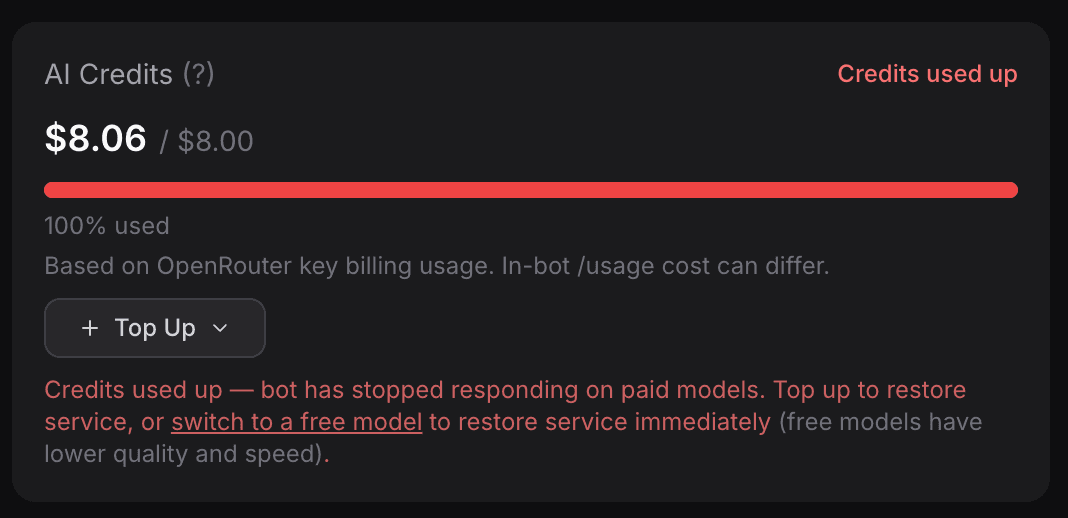
The bar changes color as usage climbs:
- Blue — 75% or below, plenty of credits remaining
- Orange — above 75%, approaching the limit (no badge yet)
- Amber + "Credits low" — the soft buffer has been crossed (roughly the final 5%, rounded by tier). The bot is still responding, but switching now avoids interruption.
- Red + "Credits used up" — usage has exceeded 100% of the plan limit. The bot has stopped responding on paid models.
When the "Credits low" badge appears, switching to a free model is the fastest way to stay online without waiting for the billing cycle to reset.
Step 1: See which free models are available
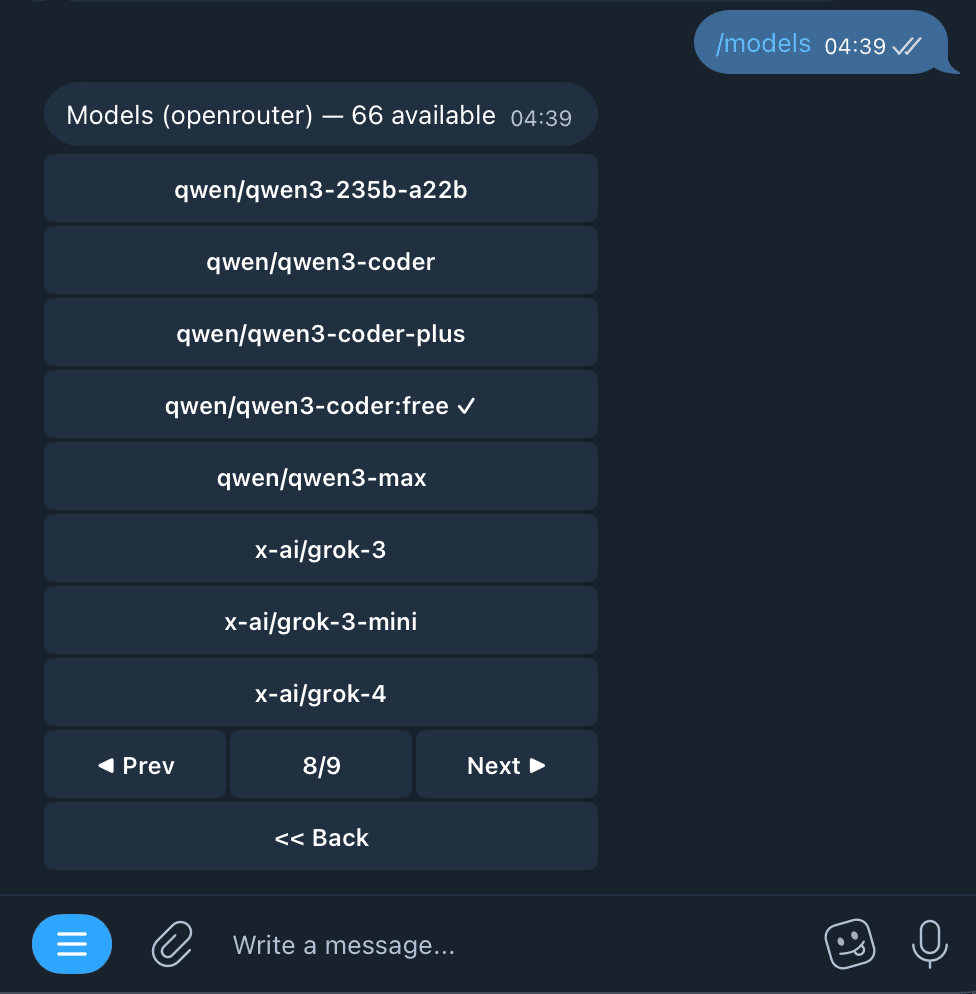
In your bot, send /model list (alias: /models) to list available models. Free models are tagged :free in the model ID and don't deduct from your credits. See the official OpenClaw slash commands docs for /model behavior.
Some free models you may see:
| Provider | Model name | Model ID | Best for | Less suitable for |
|---|---|---|---|---|
| Meta | Llama 3.3 70B Instruct | meta-llama/llama-3.3-70b-instruct:free | General chat and summaries in supported languages | Unsupported languages without extra tuning |
| Qwen | Qwen3-Coder | qwen/qwen3-coder:free | Coding tasks and tool-driven dev workflows | General non-coding chat |
| Mistral AI | Mistral Small 3.1 24B Instruct | mistralai/mistral-small-3.1-24b-instruct:free | Fast replies, function calls, mixed text/image tasks | Deep reasoning where quality matters over speed |
| Gemma 3 27B IT | google/gemma-3-27b-it:free | Multilingual prompts, long context, image understanding | Loose prompts or unverified factual output | |
| OpenAI | gpt-oss-120b | openai/gpt-oss-120b:free | Reasoning-heavy tasks and agent/tool workflows | Lowest-latency quick chats |
Free-model fallback is available only when Backup Models is enabled during deployment or reprovision. The catalog can change over time, so treat /model list as the source of truth.
Quick pick if you are unsure:
- General assistant tasks:
meta-llama/llama-3.3-70b-instruct:free - Mostly coding:
qwen/qwen3-coder:free - Fastest responses:
mistralai/mistral-small-3.1-24b-instruct:free - Vision or broader multilingual prompts:
google/gemma-3-27b-it:free - Stronger reasoning over speed:
openai/gpt-oss-120b:free
Official references for the guidance above:
- OpenClaw model policy and selection order: Models CLI
- Meta Llama 3.3 model card (intended use, supported languages, limitations): Llama-3.3-70B-Instruct
- Qwen3-Coder capabilities (agentic coding, long-context coding): Qwen3-Coder
- Mistral Small 3.1 capabilities (low latency, function calling, multimodal): Mistral Small 3.1
- Gemma 3 model card (multimodal, multilingual, limitations): Gemma 3 model card
- OpenAI gpt-oss release notes (reasoning and tool-use strengths, latency/reasoning tradeoff): Introducing gpt-oss
Step 2: Switch to a free model
There are two ways to switch — the dashboard and the bot itself. They behave differently.
Option A: Switch via the dashboard (persistent) - not available yet
Persistent model switching from the dashboard is not live yet. Use Option B for now.
Option B: Switch via the bot (session-only)
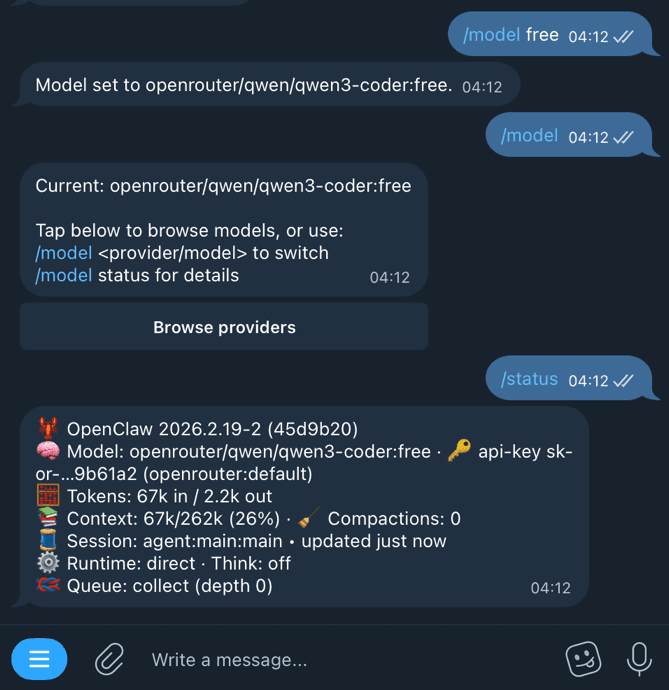
When the credit bar turns amber or red, use /model in chat:
/model
/model list
/model 3
Pick any entry tagged :free from /model list.
Important: /model is a session-level directive. It affects the current session and does not write to your saved bot config. If the gateway restarts, it reverts to the config-file model.
The current session stays on that free model until you switch again or the runtime session resets.
Free models don't count against your credits at all. If you switch mid-cycle, your credit usage stops accumulating for those conversations.
What happens when credits reset
Credits reset automatically on your billing date. ClawCloud detects the reset (via the Stripe invoice.paid webhook), clears the usage counters, and restores your original paid model config automatically. No action needed on your end.
Your bot goes back to its primary model — whatever you selected during deployment. You don't need to log in, switch manually, or restart anything.
If you want to stay on a free model after reset, run /model again.
Troubleshooting
My bot switched to a free model but my dashboard shows less than 95% usage.
If you've redeployed or reprovisioned your instance, a small portion of usage from the previous billing key may carry over as a baseline. This keeps credit tracking accurate across reprovisions but can make displayed usage higher than a single key's raw numbers. See How to Manage OpenClaw AI Credits for more detail on how credit baselines work, and Destroy vs Regenerate: When to Rebuild Your OpenClaw Server for when a full server rebuild makes sense.
I don't see any :free models in /model list.
Free-model fallback only appears when Backup Models is enabled on your instance. Reprovision with Backup Models turned on, then check /model list again.
I want to stay on a free model even after credits reset.
Billing reset restores your paid default model automatically. If you still want free mode, run /model list and select a :free model again after reset.
I don't want to use a specific free model.
Use /model to switch to any free model listed in /model list. See How to Switch AI Models for the full list of switching options and aliases.
For a detailed breakdown of credit mechanics and tips on stretching your monthly pool, see How to Manage OpenClaw AI Credits.