If your bot has been unstable, rebuilding the server can help. But it is not always the right move.
This guide explains what Destroy Server and Regenerate actually do on ClawCloud, when to use them, and what you should back up first.
Destroy vs Regenerate in plain terms
- Destroy Server removes your current server.
- Regenerate creates a new server for the same instance using the latest ClawCloud setup.
Your subscription and instance record stay in place. The server itself is what changes.
When regenerate is a good idea
Use regenerate when you want:
- the latest bundled OpenClaw server environment
- updated runtime and provisioning fixes
- a clean machine after repeated runtime issues
- a fresh baseline without manual SSH cleanup
What you get after regeneration
The new server includes ClawCloud's current bundled setup, including:
- OpenClaw runtime + ClawCloud agent
- Node.js 22
- firewall and swap defaults
- preinstalled ops/build tools:
git,make,g++,python3,pip3,jq,net-tools,zip,unzip,chromium
For background on why these pieces matter, see What OpenClaw Hosting Requires.
Downsides and trade-offs
Regeneration is not a no-risk action.
- Files that live only on the old server can be lost.
- Any manual server-side tweaks need to be redone.
- The bot is briefly unavailable while the new server boots.
If you are not sure whether your important data is only on the server, stop and contact help@clawcloud.sh first. We can help you choose the safest path.
Before you click anything
- List what you need to keep (custom files, logs, scripts, datasets).
- Export or copy those files off the server first.
- Confirm you still have your channel token and any BYOK API key.
- Keep a note of your current bot behavior so you can verify after regen.
For OpenClaw config references, check the OpenClaw docs. If you need help choosing between a clean rebuild and a lighter fix, contact help@clawcloud.sh first.
How to destroy and regenerate
Step 1: Destroy the current server
- Open your ClawCloud Dashboard.
- Find your instance.
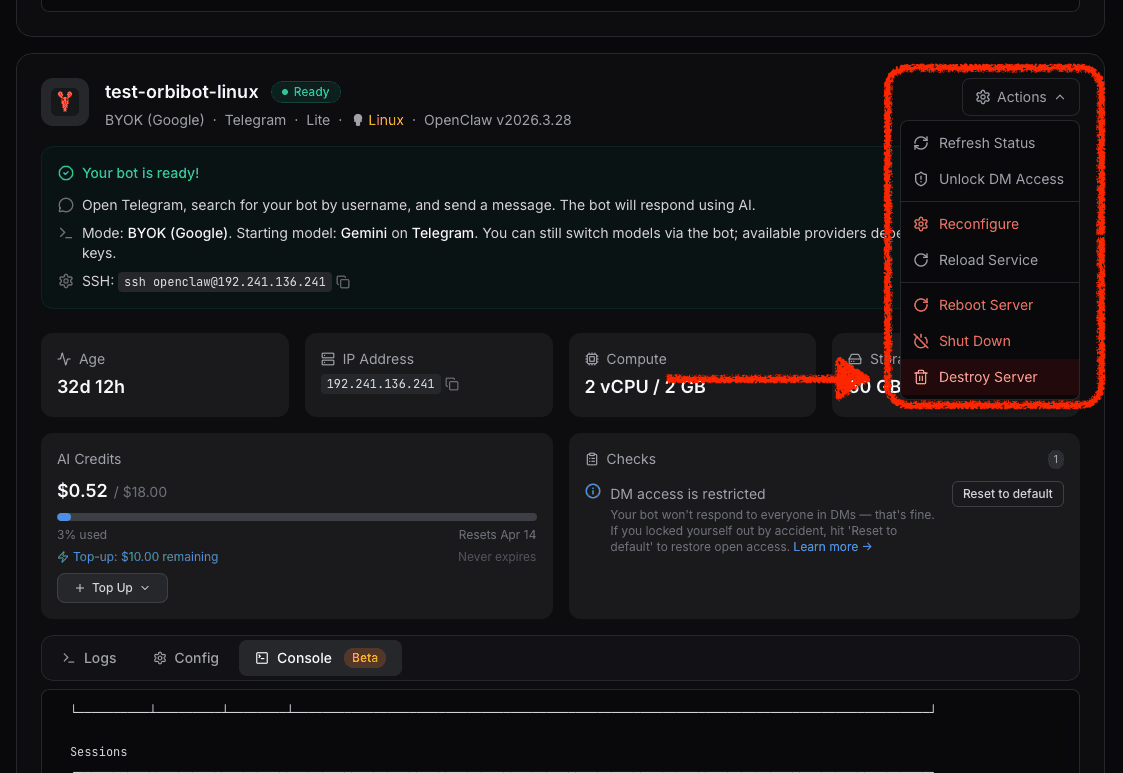
- Open Actions.
- Click Destroy Server.
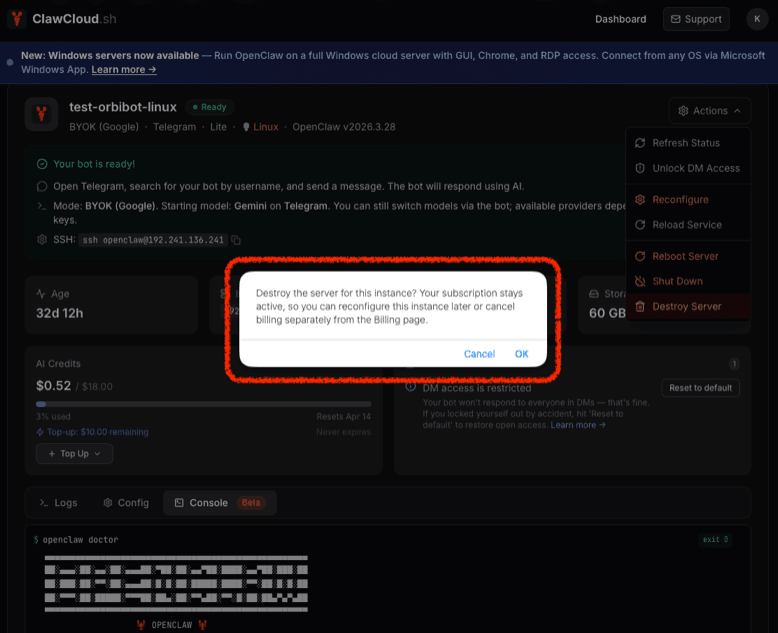
A confirmation dialog appears. It reminds you that your subscription stays active — you can reconfigure the instance later or cancel billing separately from the Billing page.
- Click OK to confirm.
Step 2: Regenerate from deploy flow
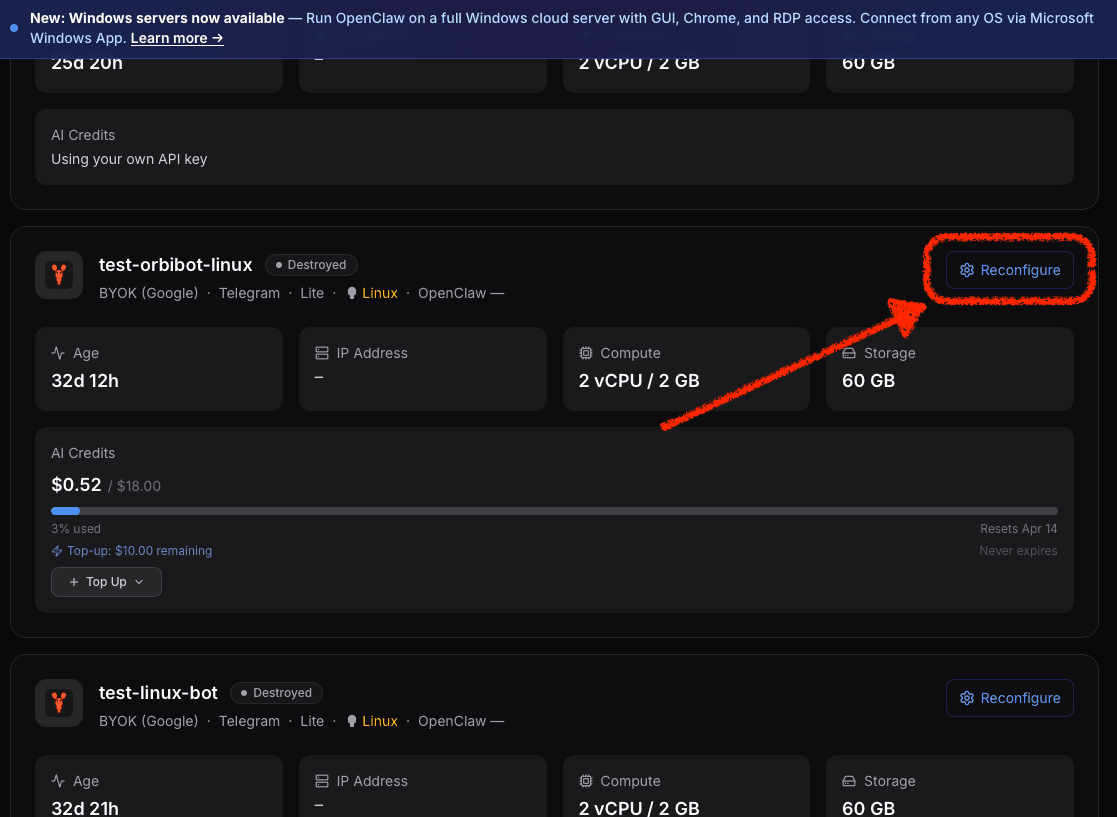
- In the same instance card, click Reconfigure.
- Continue through the deploy flow and submit.
- Wait for provisioning to complete.
Step 3: Verify the new server
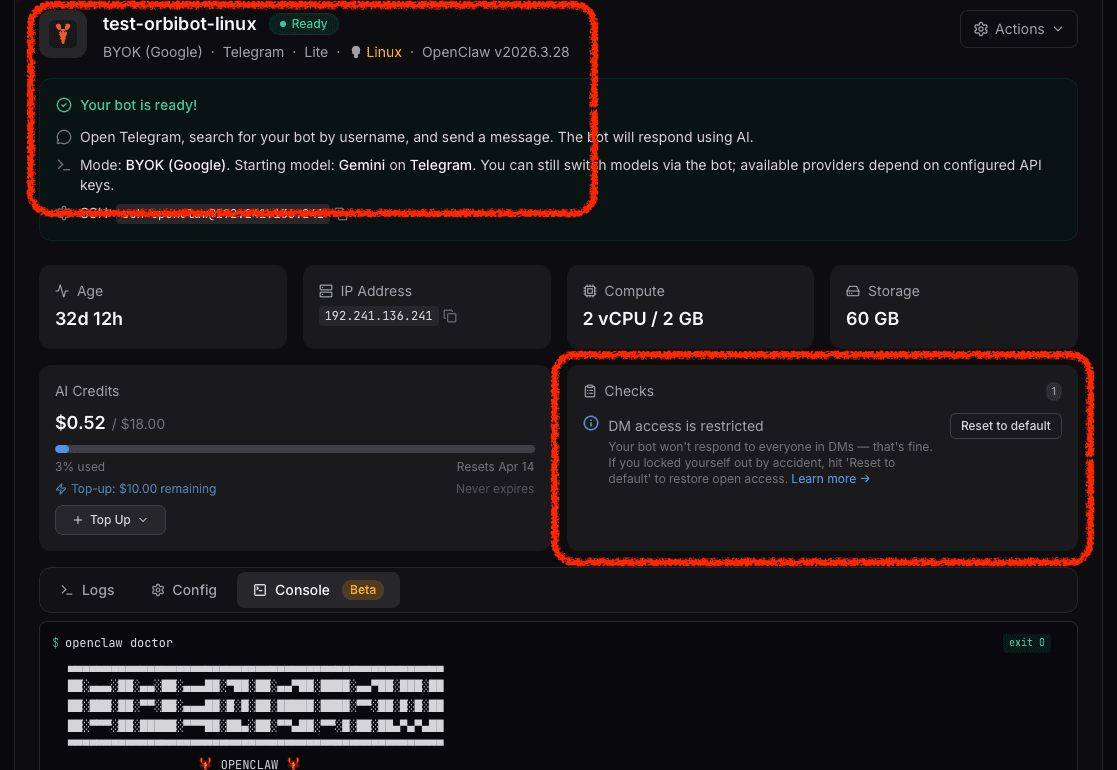
After status becomes ready:
- Send a test message to the bot.
- Check Checks and Logs in the dashboard.
- Confirm your expected model and channel behavior.
Do I have to regenerate for every issue?
No. Some issues do not require a rebuild.
- If you are locked out of DM access, use How to Unlock DM Access on Your OpenClaw Bot.
- If the issue is only model cost or credit usage, use How to Manage OpenClaw AI Credits on ClawCloud.
Need help choosing the safe option?
If you want better performance but do not want to risk data loss, email help@clawcloud.sh with your instance name. We will reply as soon as possible.