BYOK + Backup is for teams that want their own provider key as the primary path, with a free fallback path available when needed.
In this setup, your BYOK provider key stays primary. ClawCloud also provisions a separate backup key with a default limit of 0, so you can switch to :free backup models when your primary path is not the right choice.
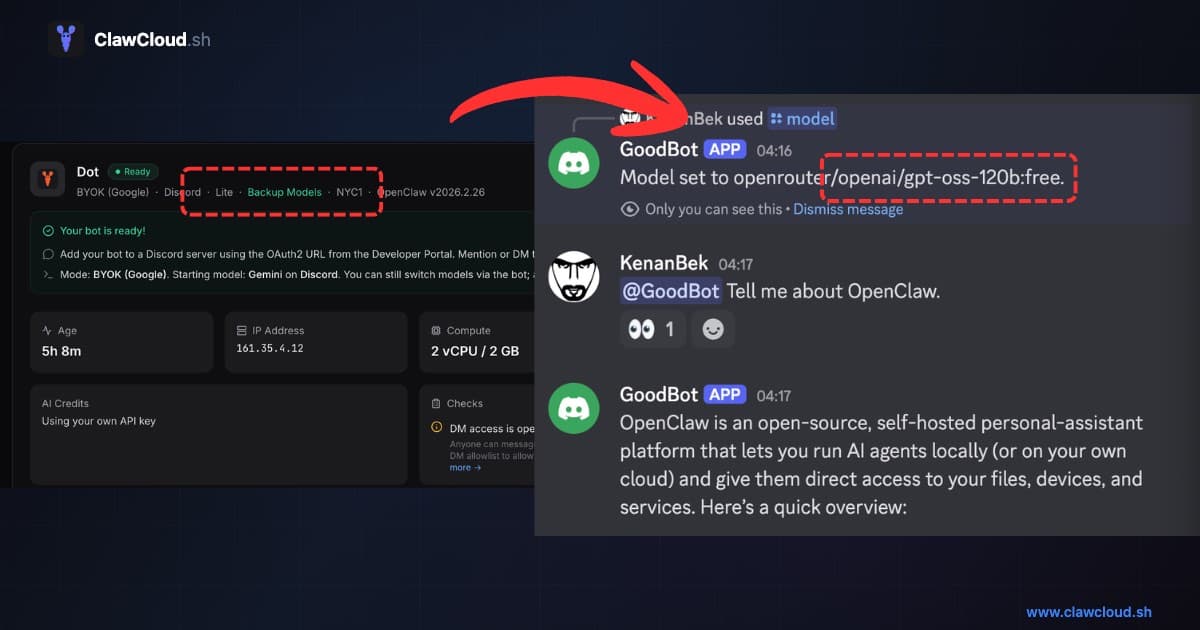
What BYOK + Backup is
- Primary path: your BYOK key (Claude, GPT, or Gemini) handles normal paid usage.
- Backup path: an auxiliary backup key is added for free-model fallback.
- Default backup limit:
0, which means backup is intended for free-tier models by default. - No auto-switch: you switch models manually in chat.
How it works in practice
- You run your bot normally on a BYOK model.
- If needed, you switch to a free backup model using
/model. - Your bot continues responding, but with free-model performance characteristics.
- You switch back to your BYOK model when you are done.
Use these commands directly in chat:
/model list
/model status
/model openrouter/openai/gpt-oss-120b:free
/model status
/model openrouter/qwen/qwen3-coder:free
/model status
/model <your-byok-provider-model>
/model list shows what your bot can use right now. /models is an alias if you prefer it.
/model status confirms what is active, so you can verify every switch.
For command behavior details, see the OpenClaw Models CLI guide and the OpenClaw slash commands reference.
When to switch to backup models
Switch to backup free models when:
- Your BYOK provider is temporarily rate-limited or unavailable.
- You want continuity while troubleshooting your primary key.
- You need low-cost coverage for routine traffic.
- You are near a provider-side budget limit and want to keep the bot online.
If your workload is light or non-critical, staying on free backup models for a while is usually fine.
Recommended backup models
Use these first:
- General assistant fallback:
openrouter/openai/gpt-oss-120b:free - Coding-heavy fallback:
openrouter/qwen/qwen3-coder:free
Example commands:
/model openrouter/openai/gpt-oss-120b:free
/model openrouter/qwen/qwen3-coder:free
Why these two first:
openrouter/openai/gpt-oss-120b:freeis a practical general-purpose fallback option.openrouter/qwen/qwen3-coder:freeis a practical fallback option for coding-heavy sessions.
Important model scope rule
Not all models in the full catalog apply in backup mode by default.
With the zero-limit backup key, you should use :free models only, for example:
openrouter/openai/gpt-oss-120b:freeopenrouter/qwen/qwen3-coder:free
If you pick a paid model without backup budget, the request can fail due to limit constraints.
Optional paid backup capacity (planned)
BYOK remains your primary path. The backup key is zero-limit by default and intended for :free models.
If you need paid backup capacity in addition to BYOK, that is planned as a separate add-on path. Until then, keep backup usage on :free models.
Performance caveat for free models
Free models are useful for continuity, but they are not equivalent to paid frontier models.
Expect:
- Higher latency during busy periods
- More variable output quality
- Less reliable behavior on long, multi-step reasoning or coding tasks
Use free backup for uptime and routine work. Switch back to your BYOK primary model for higher-stakes tasks.
Related guides: