When you deploy an OpenClaw bot on ClawCloud, you get a dedicated virtual machine — not a container, not a shared environment. That machine comes with software pre-installed so OpenClaw's tools and skills work without you SSHing in to install anything.
This week we expanded what ships on every server and fixed several stability issues that affected provisioning and billing resets. Here's the rundown.
What's bundled on every server
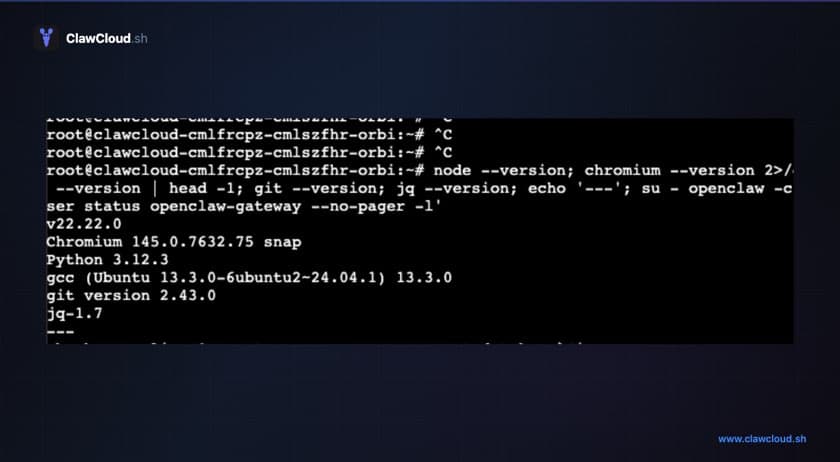
Each ClawCloud instance runs on a dedicated server built from a base snapshot. That snapshot includes everything OpenClaw needs to run its full feature set:
| Software | Version | What it enables |
|---|---|---|
| OpenClaw | Latest | The AI assistant gateway itself |
| ClawHub | Latest | Tool and skill marketplace for OpenClaw plugins |
| Node.js | 22.x LTS | Runtime for the gateway and agent |
| Chromium | System | Headless browser for OpenClaw browser tools |
| Python 3 + pip | System | Data science and automation tools |
| Build tools | gcc, g++, make | Native npm modules that compile on install |
| Utilities | git, jq, unzip, zip | Dependencies for various OpenClaw skills |
The Chromium and Python additions are new. Before this, installing a web search skill or a Python-based tool meant manually setting up dependencies. Now those tools work immediately after install via ClawHub.
If you deployed before this snapshot update, your existing server doesn't have these additions. You'd need to destroy and regenerate your server to get the new base image. Existing settings carry over through the deploy wizard, but any files stored on the server (uploaded documents, custom scripts) are lost. Back those up first.
Stability fixes
Three things broke in production over the past week. All three are fixed.
Fix: gateway closed (1006 abnormal closure)
OpenClaw's onboard step occasionally failed with a WebSocket error (gateway closed (1006 abnormal closure)). The API key was written to the server before the crash, but the gateway never started properly. The server looked healthy from the outside while the bot couldn't actually respond.
Cloud-init now retries onboard up to 3 times with exponential backoff (5s, then 10s). If onboard succeeds but the managed API key comes back as invalid (HTTP 401), the system catches that before marking the instance as ready. The config push step also retries independently — a transient gateway restart no longer prevents the server from finishing setup.
Key rotation on billing reset
When your subscription renews, ClawCloud creates a fresh managed API key and pushes it to your server. Previously, if the credential rotation failed mid-way (network timeout, agent unreachable), the database updated but the server still had the old key. Credits showed as reset in the dashboard while the bot was stuck with an exhausted key.
Now the entire reset is wrapped in a rollback guard. If the agent doesn't confirm the new key, the database reverts to the previous state and the new key is disabled. No more mismatches between what the dashboard shows and what's running on the server.
Config ownership migration
The dashboard used to push configuration to your server and track a hash to detect drift. That created race conditions — the server and dashboard could disagree about which config was authoritative.
The config ownership migration moved authority to the server. OpenClaw owns its own runtime config. The dashboard reads it for display and allows narrow break-glass actions (like unlocking DM access if you lock yourself out), but it doesn't overwrite what the server decided.
This eliminated the sync conflicts and removed the stale "config out of sync" badges some users were seeing.
Curated model list
Every managed-mode instance now gets 100+ curated models across 14 providers — Anthropic, OpenAI, Google, Meta, Mistral, DeepSeek, Grok, Qwen, and more. The full catalog is covered in a separate post, but the short version: your bot has access to every model worth using, switchable with /model in chat.
6 of those models are free-tier and don't count against your credits. If you're running low mid-month, switching to a free model keeps your bot online without waiting for the billing cycle to reset. The OpenClaw model providers docs have the full breakdown of what each provider needs.
Dashboard health notices and auto-detection
The dashboard surfaces operational notices pulled directly from the server. Instead of a single status badge, you see specific checks:
- Whether DM access is configured correctly
- Whether the API key is valid and responding
- Whether the gateway is running and accepting messages
- Guide links relevant to each issue
If something goes wrong, the notice tells you what happened and links to the fix. No more guessing from a yellow "unhealthy" dot.
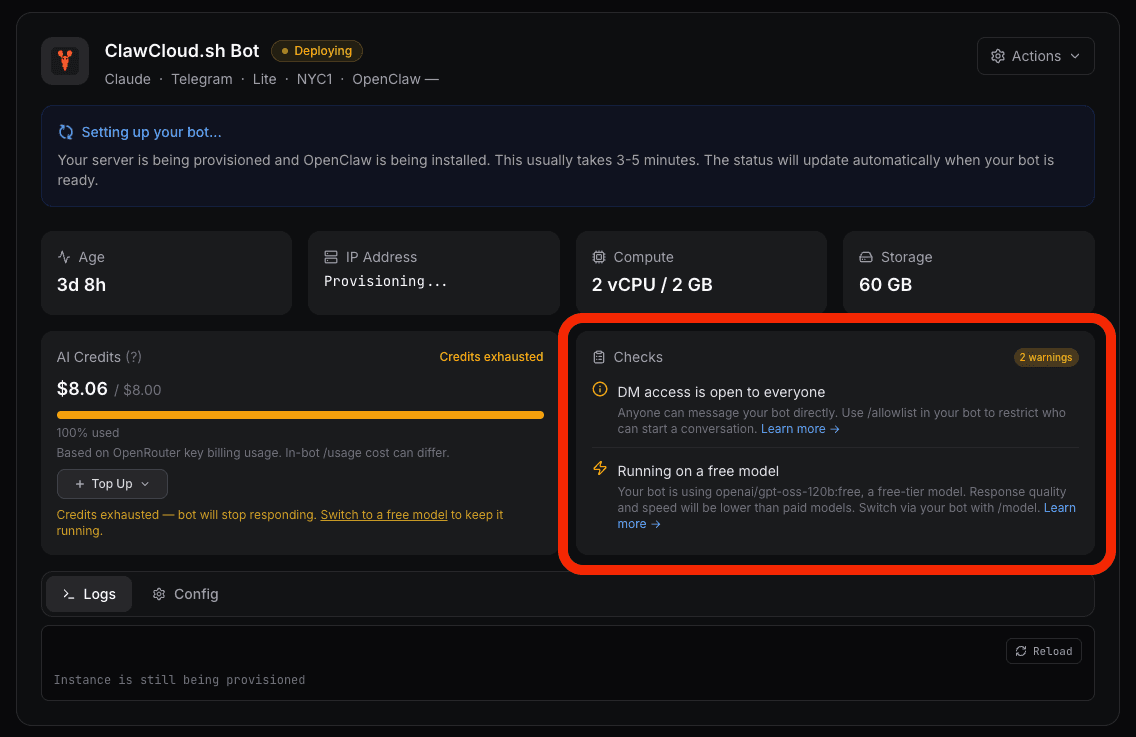
Starting with agent v1.5.3, the Checks panel also polls your server every 10 seconds and scans the gateway log for known error patterns. The first automated check detects channel conflicts — when another process starts polling the same bot token, your bot stops receiving messages and a yellow warning surfaces automatically in the dashboard. No log-diving required. The automatic issue detection post has the full details on how this works and what triggers it.
For anything automated checks don't catch, the dashboard includes a recent gateway logs viewer. It pulls the last 30 lines directly from the OpenClaw gateway journal — enough context to spot most errors without SSHing in. Check the OpenClaw gateway docs if you need to understand what a log entry means.
What to do if you deployed before this update
Servers created before the snapshot update still work. They have the previous software set and current agent version (the agent updates independently). For most users, nothing needs to change.
If you want the full bundled toolset — Chromium, Python, build tools — you'll need to regenerate. The destroy and regenerate guide walks through the process, including what to back up and how to verify everything reconnected after redeployment.
The stability fixes (provisioning retries, key rotation guards, config ownership) apply to all instances regardless of when they were created. Those run on the platform side, not on the server image.