We hit an issue last week where bots were crash-looping after a config update. The root cause: OpenClaw validates channel configuration strictly and rejects unknown keys. Discord and Telegram use different config schemas, and we were writing the same keys to both.
This post covers what broke, what we fixed, and what's new.
What happened
OpenClaw's gateway validates every key in openclaw.json at startup. If it finds a key that doesn't belong to a channel, it crashes.
The problem: Discord uses nested dm.policy and dm.allowFrom for DM access control. Telegram uses flat dmPolicy and allowFrom. Discord accepts guilds for per-server config. Telegram accepts groups. Neither channel accepts the other's keys.
Our provisioning script was writing the same config shape to every channel. Discord bots got groups (invalid) and Telegram bots got dm (invalid). The gateway rejected the config on startup and crash-looped.
What we fixed
Channel-aware provisioning
ClawCloud now writes the correct config keys depending on the channel:
Discord gets:
dm.policyanddm.allowFrom(nested)guildsfor per-server settingsgroupPolicyfor server channel access
Telegram gets:
dmPolicyandallowFrom(flat)groupsfor per-group settings likerequireMentiongroupPolicyfor group access
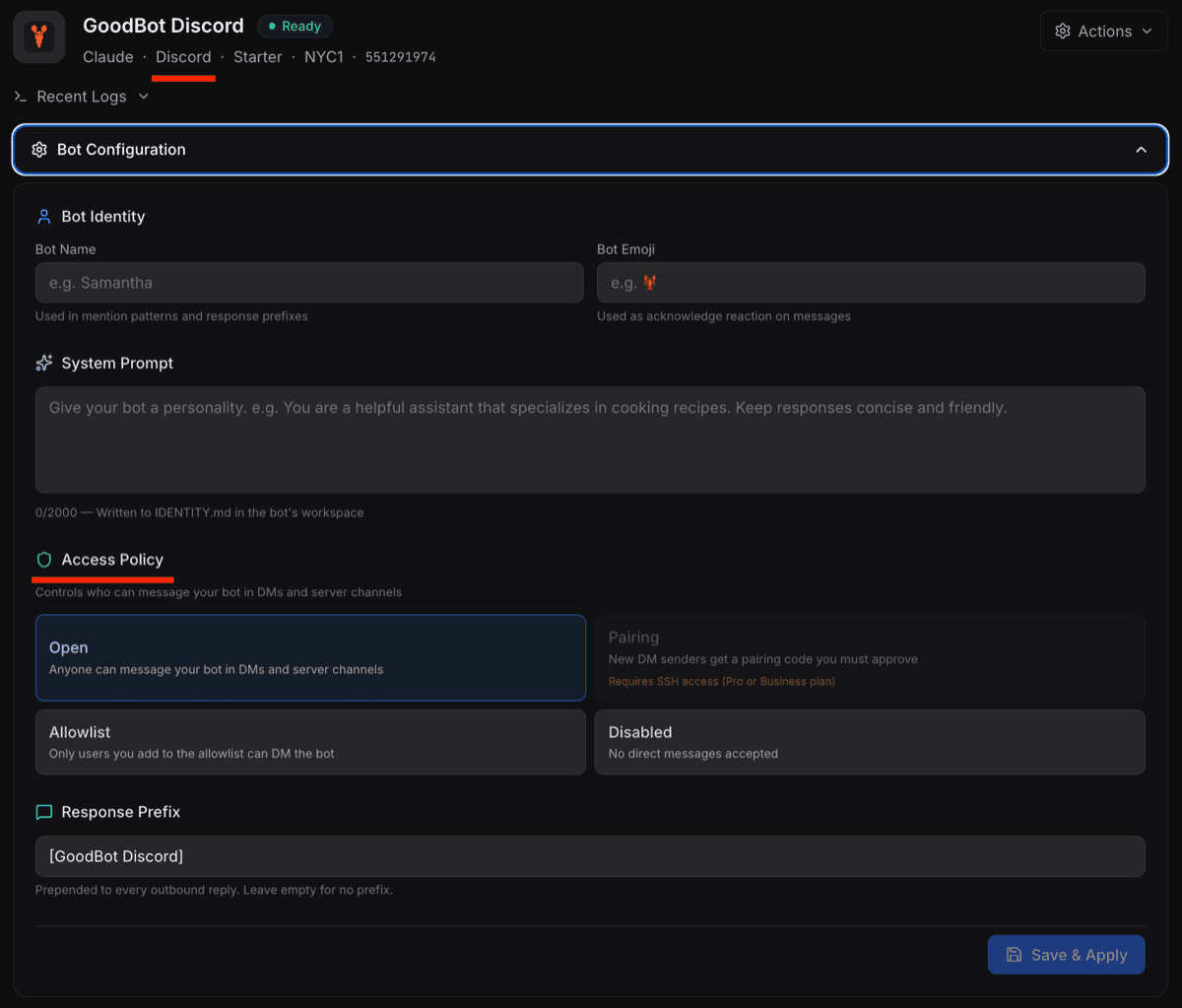
This applies to both initial provisioning (when you first deploy) and the dashboard config panel (when you change settings later).
Open access by default
OpenClaw's default DM policy is "pairing", which requires manual approval before a user can send commands to the bot. That's useful for personal bots, but for most ClawCloud deployments it meant the bot would respond to commands with "You are not authorized to use this command" until the owner manually approved every user.
ClawCloud now sets dmPolicy: "open" and allowFrom: ["*"] by default during provisioning. The default groupPolicy is also set to "open" so your bot responds in group chats and server channels right away. You can tighten these settings from the dashboard's Access Policy panel, or see How to Change the OpenClaw DM Policy for a full walkthrough of all four modes.
Dashboard improvements
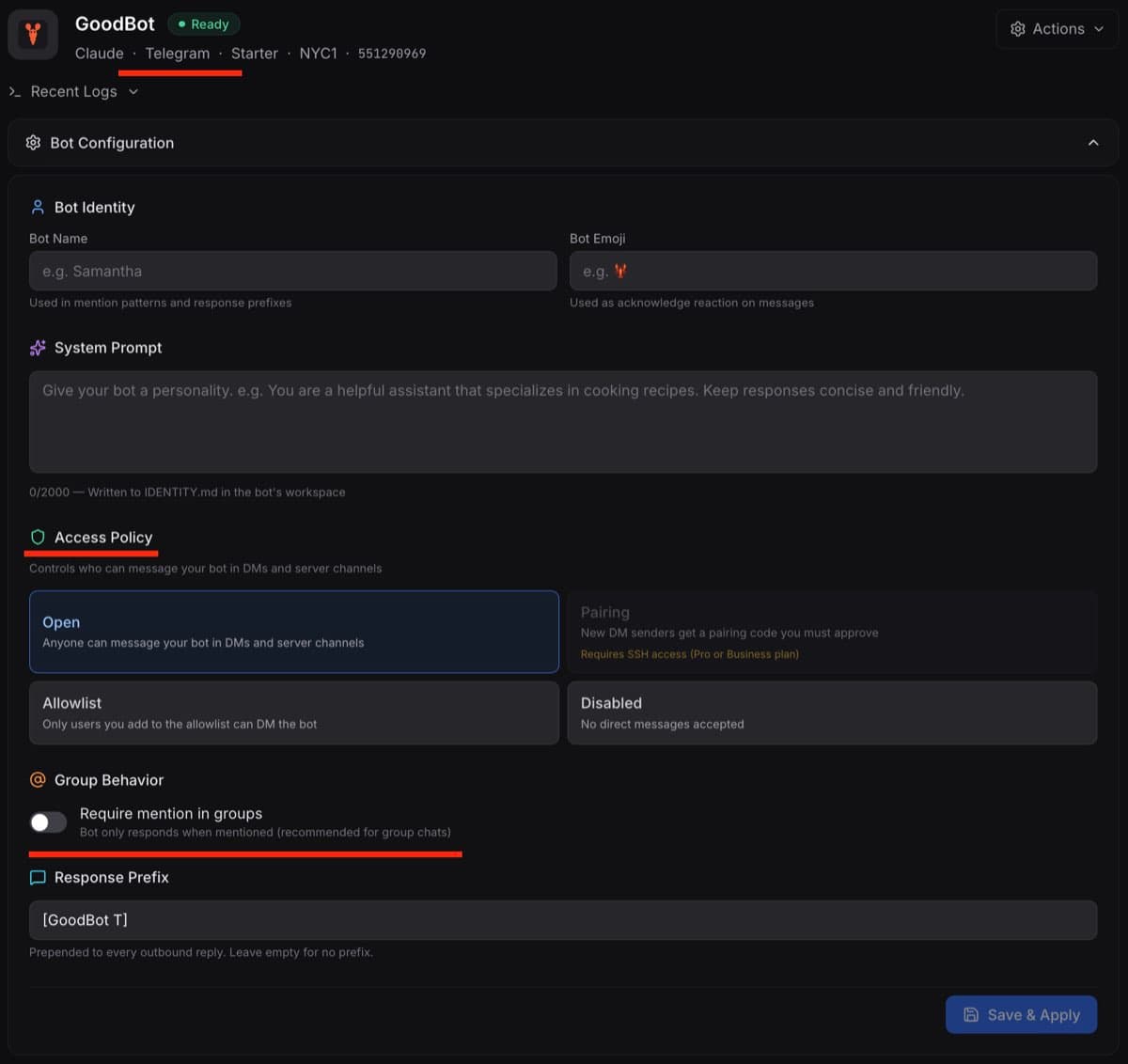
The bot configuration panel now hides channel-specific options that don't apply. Discord bots no longer show the "Require mention in groups" toggle, since Discord uses a different mechanism (guilds) for per-server behavior. The toggle still appears for Telegram bots, where groups config is the correct approach.
Access Policy options that require SSH (Pairing) are disabled for Lite plan users, since they don't have SSH access to approve pairing codes. Pro and Max users can select Pairing and will see a reminder that SSH is needed.
The Allowlist option now includes a user management UI directly in the dashboard. You can add Telegram usernames, Discord user IDs, or other identifiers without needing SSH. When you select Allowlist, an input field appears where you can add and remove allowed users.
We also fixed the Discord "ready" message that incorrectly referenced Telegram's BotFather. It now correctly points to the Discord Developer Portal.
OpenClaw v2026.2.9
All existing instances have been updated from v2026.2.3-1 to v2026.2.9. New deployments will also install the latest version. Each instance runs a daily update check, so future OpenClaw releases will be picked up automatically.
Channel availability
As part of this update, we've temporarily disabled WhatsApp and Slack in the deploy wizard. Our provisioning pipeline doesn't fully support these channels yet (token handling and config patching need work). Telegram and Discord are fully supported.
We'll re-enable WhatsApp and Slack once the provisioning path is tested and reliable.
What to do
If your bot is already running, no action needed. The fixes have been applied to all existing instances.
If you're deploying a new bot, everything works automatically. Pick Telegram or Discord, paste your token and API key, and deploy. The correct channel config will be written during provisioning.
If you run into issues, reach out at help@clawcloud.sh.